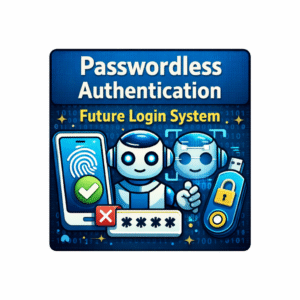
Passwordless Authentication – Future Login System Explained
Passwords have been the standard way to log in online for decades. But remembering dozens of complex passwords, avoiding weak ones, and changing them frequently is annoying and risky.
To make logging in simpler and safer, a new technology called Passwordless Authentication is becoming popular.
What is Passwordless Authentication?
Passwordless Authentication is a way to log into websites, apps, or devices without using a password.
Instead of typing a password, you use other secure methods like:
Biometrics (fingerprint, face scan)
Security keys (USB or wireless devices)
One-time codes sent to email or phone
Mobile authentication apps
In short: You don’t need a password to prove it’s really you.
Why Do We Need Passwordless Authentication?
Traditional passwords have many problems:
1. Weak or Reused Passwords
Many people use simple passwords like “123456” or reuse the same password for multiple accounts.
This makes accounts easy to hack.
2. Password Theft
Hackers can steal passwords using phishing, keyloggers, or data breaches.
3. Hard to Remember
Remembering different passwords for each account is frustrating.
Passwordless Authentication solves these problems by making login easier and more secure.
How Does Passwordless Authentication Work?
Here’s how it works in real life:
1. Biometric Login
You scan your fingerprint or face.
The system verifies your identity instantly.
Example: Unlocking your smartphone with Face ID.
2. One-Time Password (OTP)
You request login on an app or website.
A code is sent to your phone/email.
Enter the code to log in.
Example: OTP for Gmail login or banking apps.
3. Security Keys
Physical device like USB or NFC key.
You tap the key to verify identity.
Example: YubiKey for Google accounts.
Benefits of Passwordless Authentication
1. Improved Security
No password means no risk of password theft or reuse.
2. Faster Login
No typing long passwords – login is almost instant.
3. User-Friendly
Easy for students, professionals, and anyone who struggles with passwords.
4. Less Stress
You don’t need to remember multiple passwords anymore.
Challenges of Passwordless Authentication
Not every website or app supports it yet.
Requires smartphones, biometrics, or security keys.
Devices can be lost, stolen, or malfunction.
Users need to learn new login methods.
Why Students Should Care
Students use multiple online accounts for:
Online classes and learning apps
Social media
Email and cloud storage
Gaming platforms
Passwordless Authentication makes it safer and easier to manage all accounts.
You don’t have to worry about forgetting passwords or being hacked.
The Future of Login Systems
Experts believe that in the next few years:
Passwords will become optional or rare
Biometric and mobile authentication will become the new normal
Online security will be stronger
Logging in will be simpler for everyone
The future is passwordless, fast, and secure.
Final Thoughts
Passwords are slowly becoming a thing of the past.
Passwordless Authentication offers a safe, convenient, and fast way to log in online.
For students, this means less stress, more security, and easy access to learning tools and apps.
Imagine logging in with just your face, fingerprint, or phone – no more typing long, complicated passwords!
पासवर्डलेस ऑथेंटिकेशन – भविष्य का लॉगिन सिस्टम
पिछले कई सालों से ऑनलाइन लॉगिन के लिए पासवर्ड का इस्तेमाल होता रहा है।
लेकिन अलग-अलग वेबसाइट और ऐप के लिए कई जटिल पासवर्ड याद रखना, कमजोर पासवर्ड से बचना और समय-समय पर पासवर्ड बदलना बहुत झंझट भरा और जोखिम भरा हो सकता है।
इसी समस्या का हल पेश करता है Passwordless Authentication, जो लॉगिन को सरल और सुरक्षित बनाता है।
पासवर्डलेस ऑथेंटिकेशन क्या है?
Passwordless Authentication एक ऐसा तरीका है, जिसमें आप पासवर्ड का इस्तेमाल किए बिना लॉगिन कर सकते हैं।
इसके लिए आमतौर पर ये तरीके इस्तेमाल होते हैं:
बायोमेट्रिक्स (फिंगरप्रिंट या फेस स्कैन)
सिक्योरिटी कीज़ (USB या वायरलेस डिवाइस)
वन-टाइम कोड (OTP) ईमेल या फोन पर
मोबाइल ऑथेंटिकेशन ऐप्स
सार में: आपको पासवर्ड की जरूरत नहीं, फिर भी सिस्टम जानता है कि आप ही सही यूज़र हैं।
पासवर्डलेस ऑथेंटिकेशन की जरूरत क्यों?
1. कमजोर या एक जैसे पासवर्ड
कई लोग आसान पासवर्ड जैसे “123456” या सभी अकाउंट के लिए वही पासवर्ड इस्तेमाल करते हैं।
यह हैकर्स के लिए आसान लक्ष्य बन जाता है।
2. पासवर्ड चोरी
फिशिंग, कीलॉगर या डेटा ब्रीच से पासवर्ड चोरी हो सकता है।
3. पासवर्ड याद रखना मुश्किल
हर अकाउंट के अलग पासवर्ड याद रखना परेशान कर देता है।
Passwordless Authentication इन समस्याओं को हल करता है और लॉगिन को सुरक्षित और आसान बनाता है।
पासवर्डलेस ऑथेंटिकेशन कैसे काम करता है?
1. बायोमेट्रिक लॉगिन
फिंगरप्रिंट या फेस स्कैन करें
सिस्टम तुरंत पहचान लेता है
उदाहरण: मोबाइल का Face ID
2. वन-टाइम पासवर्ड (OTP)
लॉगिन रिक्वेस्ट करें
फोन या ईमेल पर कोड आएगा
कोड डालकर लॉगिन करें
उदाहरण: Gmail या बैंकिंग ऐप्स
3. सिक्योरिटी कीज़
USB या NFC डिवाइस
की को टैप या कनेक्ट करें
उदाहरण: Google अकाउंट के लिए YubiKey
पासवर्डलेस ऑथेंटिकेशन के फायदे
बेहतर सुरक्षा – पासवर्ड नहीं होने से चोरी का खतरा कम
तेज़ लॉगिन – लंबे पासवर्ड टाइप करने की जरूरत नहीं
यूज़र-फ्रेंडली – छात्रों और नए यूज़र्स के लिए आसान
कम तनाव – पासवर्ड याद रखने की चिंता खत्म
चुनौतियाँ
सभी वेबसाइट या ऐप इसे अभी सपोर्ट नहीं करते
स्मार्टफोन, बायोमेट्रिक्स या सिक्योरिटी कीज़ की जरूरत
डिवाइस खो जाने या खराब होने की संभावना
नए लॉगिन तरीके सीखने होंगे
छात्रों के लिए महत्व
छात्र अक्सर ऑनलाइन उपयोग करते हैं:
ऑनलाइन क्लास
सोशल मीडिया
ईमेल और क्लाउड स्टोरेज
गेमिंग प्लेटफॉर्म
Passwordless Authentication से अकाउंट सुरक्षित और आसान तरीके से मैनेज होते हैं।
आपको पासवर्ड याद रखने या हैक होने की चिंता नहीं।
भविष्य में लॉगिन सिस्टम
विशेषज्ञों का मानना है कि आने वाले समय में:
पासवर्ड optional या rare हो जाएंगे
बायोमेट्रिक और मोबाइल लॉगिन नॉर्मल बनेंगे
ऑनलाइन सुरक्षा मजबूत होगी
लॉगिन करना सरल और तेज़ होगा
भविष्य: पासवर्डलेस, तेज़ और सुरक्षित।
अंतिम विचार
पासवर्ड धीरे-धीरे पुरानी बात बनते जा रहे हैं।
Passwordless Authentication लॉगिन को सुरक्षित, सुविधाजनक और तेज़ बनाता है।
छात्रों के लिए इसका मतलब है:
कम तनाव, ज्यादा सुरक्षा और आसान एक्सेस।
सोचिए, बस अपने चेहरे, फिंगरप्रिंट या फोन से लॉगिन करना – अब लंबे पासवर्ड टाइप करने की जरूरत नहीं!
This website is a great learning resource for anyone who wants to improve their computer knowledge. The notes are clear, practical, and student-friendly. It saves a lot of time and makes learning more effective.
The post is very engaging and easy to read. The points are explained with clarity and the information is useful.