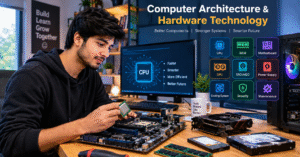
💻 Computer Architecture & Hardware Technology
⚙️ Introduction to Computer Architecture & Hardware Technology
Computer Architecture and Hardware Technology are the fundamental building blocks of modern computing systems. Every computer, laptop, server, and smart device relies on a combination of hardware components that work together to process information, store data, and perform complex operations. From the processor that executes instructions to the memory that keeps applications running smoothly, each component plays an important role in the overall performance of a computer system.
Computer architecture explains how the different parts of a computer are organized, connected, and designed to work together. Hardware technology focuses on the physical components, electronic circuits, and devices that make computing possible. Understanding both areas helps us learn how computers operate, why some systems perform faster than others, and how modern technology continues to improve.
Today, computer architecture and hardware technology are essential in almost every industry, including education, healthcare, business, engineering, communication, artificial intelligence, and scientific research. As technology advances, computer systems are becoming faster, more energy-efficient, reliable, and capable of handling increasingly demanding tasks.
🧠 1. Central Processing Unit (CPU)
The Central Processing Unit, commonly known as the CPU, is often described as the brain of a computer. It executes program instructions, performs calculations, processes data, and coordinates many of the operations required to run applications. Whenever you open software, browse the internet, edit a document, or run a program, the CPU helps execute the instructions needed to complete the task.
A modern CPU contains several important components, including the Arithmetic Logic Unit (ALU), control unit, and registers. The ALU performs mathematical calculations and logical comparisons. The control unit coordinates instruction execution and manages the flow of information between different parts of the processor. Registers provide small, fast storage locations for data and instructions that the CPU needs immediately.
Modern processors may contain multiple cores, allowing them to execute multiple streams of instructions more efficiently. Technologies such as multithreading, processor caching, and dynamic clock-speed management help improve performance in supported workloads.
Choosing the right CPU depends on how a computer will be used. Everyday browsing and office work require different processing capabilities from professional video editing, software development, scientific simulations, or advanced gaming.
💾 2. Random Access Memory (RAM)
Random Access Memory, or RAM, is a type of temporary memory that stores data and instructions currently being used by the computer. It allows the processor to access frequently needed information much faster than it could retrieve the same information from an SSD or hard drive.
When you open a web browser, launch an application, or work with several programs simultaneously, RAM helps keep the information needed by those applications readily available. If a computer does not have enough memory for its workload, it may need to move some data between RAM and storage, which can reduce responsiveness.
RAM capacity is an important consideration when choosing a computer. A system used for basic browsing and document editing may need less memory than a computer used for software development, virtual machines, professional design, or large datasets.
Modern computers commonly use DDR memory technologies, while laptops and compact systems may use different memory formats depending on their design. RAM speed, capacity, compatibility, and memory-channel configuration can all affect system performance.
It is important to remember that RAM is generally volatile memory. This means its contents are lost when the computer loses power, unlike files stored on an SSD or hard drive.
🔌 3. Motherboard and System Connectivity
The motherboard is the main circuit board that connects the major components of a computer. It provides the physical connections and communication pathways needed for the processor, memory, storage devices, graphics hardware, and other components to work together.
A motherboard typically includes a CPU socket or processor interface, memory slots, storage connectors, expansion slots, power connectors, and external input/output ports. Depending on the model, it may also include integrated audio, networking, Wi-Fi, Bluetooth, and other features.
The motherboard plays an important role in determining which components a computer can support. Processor compatibility, memory type, storage interfaces, expansion options, and power delivery are all influenced by motherboard design.
For example, someone building a computer for professional development may need support for additional storage devices and expansion cards. A user building a compact office computer may prefer a smaller motherboard with integrated connectivity and fewer expansion requirements.
A well-matched motherboard helps create a stable and reliable computer system. However, the motherboard alone does not determine performance; the processor, memory, storage, cooling, and other components must also be suitable for the intended workload.
🎮 4. Graphics Processing Unit (GPU)
The Graphics Processing Unit, or GPU, is designed to perform graphics calculations and other highly parallel computing tasks. GPUs are widely used for displaying visual content, rendering 3D environments, editing videos, processing images, and accelerating certain scientific and artificial intelligence workloads.
Many computers include integrated graphics built into the processor or system-on-chip. Integrated graphics are suitable for everyday activities such as web browsing, office applications, video playback, and some creative workloads.
Dedicated graphics cards contain their own graphics processor and usually have separate video memory. They can provide substantially greater performance for demanding tasks such as advanced gaming, 3D rendering, and professional visual production.
GPUs are also important in artificial intelligence because many AI workloads involve performing large numbers of similar calculations simultaneously. Specialized hardware and software allow compatible GPUs to accelerate these operations.
When choosing graphics hardware, it is important to consider performance requirements, available memory, power consumption, cooling, software compatibility, and budget. A powerful GPU is not necessary for every computer user, so the best choice depends on the tasks the system needs to perform.
💽 5. Storage Technology: SSD and HDD
Storage devices keep operating systems, applications, documents, photographs, videos, and other files available even when the computer is turned off. Two widely known storage technologies are Solid-State Drives (SSDs) and Hard Disk Drives (HDDs).
An SSD stores data in flash memory and has no moving mechanical parts. SSDs generally provide faster boot times, quicker application loading, and more responsive file access than traditional hard drives. NVMe SSDs communicate through the PCIe interface and can deliver high data-transfer speeds when supported by the system.
An HDD stores data on rotating magnetic disks and uses mechanical components to read and write information. HDDs can offer a relatively economical way to obtain large storage capacities, making them useful for archives, backups, and large media collections.
The choice between SSD and HDD depends on performance needs, capacity requirements, and budget. Many systems use an SSD for the operating system and frequently used applications, with a larger HDD or additional SSD for storing files.
Regardless of the storage technology, important information should be backed up regularly. A storage device can fail unexpectedly, and neither an SSD nor an HDD should be treated as a complete backup solution on its own.
⚡ 6. Power Supply Unit (PSU)
The Power Supply Unit, commonly called the PSU, converts electricity from an external power source into the voltages required by a computer’s internal components. It supplies power to the motherboard, processor, graphics card, storage devices, and other hardware.
A reliable PSU is important for system stability and long-term operation. Its capacity should be suitable for the combined power requirements of the installed components, particularly when the computer includes a high-performance processor or dedicated graphics card.
Power supplies are available in different wattage ratings and efficiency levels. Efficiency certifications can help users compare how effectively a PSU converts incoming electrical power into usable output, although certification alone does not guarantee overall product quality.
When building or upgrading a computer, users should consider the PSU’s rated output, connector compatibility, electrical protections, cooling design, and manufacturer reputation. It is also important to leave adequate capacity for expected upgrades without purchasing significantly more power than the system needs.
A suitable power supply helps deliver stable power to the computer and supports dependable operation under normal workloads.
🌡️ 7. Cooling Systems and Thermal Management
Computer components generate heat while operating. Processors, graphics cards, voltage regulators, and other electronic components can become hot when performing demanding tasks. Cooling systems help remove this heat and keep components within their intended operating temperatures.
Common cooling methods include heatsinks, air coolers, case fans, and liquid-cooling systems. Air cooling uses fans and heatsinks to move heat away from components, while liquid cooling transfers heat through a liquid-based system to a radiator, where fans help release it into the surrounding air.
Effective thermal management can help maintain performance, reduce excessive fan noise, and support hardware reliability. If a component becomes too hot, it may automatically reduce its operating speed to protect itself. This behavior is commonly known as thermal throttling.
Good airflow is an important part of computer design. Proper fan placement, suitable case ventilation, clean air filters, and regular dust removal can help improve cooling performance.
The best cooling solution depends on the system’s power consumption, physical size, workload, noise requirements, and budget. A basic office computer may need only a simple cooling arrangement, while a workstation used for rendering or other intensive tasks may require more advanced thermal management.
🏗️ 8. Computer Architecture: How Components Work Together
Computer architecture describes the organization and behavior of a computer system, including how its processor executes instructions, how memory is accessed, and how data moves between components.
A traditional computer architecture includes a processor, memory, input/output systems, and communication pathways. These elements work together to execute programs and produce useful results.
When a user launches an application, the operating system loads the required program instructions and data into memory. The processor fetches instructions, decodes them, and executes the appropriate operations. The results may be stored in memory, sent to a display, or written to a storage device.
The efficiency of this process depends on how well the different components communicate and how effectively the system handles instructions and data.
Computer architects study topics such as instruction sets, processor pipelines, cache hierarchies, memory organization, parallel processing, and input/output communication. These design choices influence performance, energy consumption, scalability, and compatibility.
A well-designed architecture balances different requirements rather than focusing only on processor speed. For example, a system that processes instructions quickly may still perform poorly if it frequently waits for data from slower memory or storage.
🧩 9. Instruction Set Architecture (ISA)
An Instruction Set Architecture, or ISA, defines the instructions a processor can execute and the rules software follows when communicating with the processor. It acts as an important interface between software and hardware.
The ISA specifies features such as supported instructions, registers, data types, memory-access behavior, and certain aspects of how programs interact with the processor.
Two widely used ISA families are x86-64 and ARM. x86-64 is common in desktop computers, laptops, and servers, while ARM-based processors are widely used in smartphones, tablets, embedded devices, and an increasing range of computers and servers.
Different ISA designs can offer different advantages depending on implementation, workload, power requirements, and software support. However, the ISA alone does not determine how fast or efficient a processor will be. Microarchitecture, manufacturing technology, memory systems, and software optimization also play significant roles.
Understanding ISA concepts helps explain why software compatibility matters when selecting hardware or developing applications for different platforms.
🚀 10. Cache Memory and Processor Performance
Cache memory is a small, high-speed memory system located within or close to a processor. It stores copies of data and instructions that the processor is likely to need again soon.
Modern processors commonly use multiple cache levels, such as L1, L2, and L3. These levels differ in capacity, speed, and organization. L1 cache is typically very small and fast, while higher-level caches generally provide greater capacity.
Caches improve performance by reducing the need to retrieve every piece of information from main memory. When the required data is available in cache, the processor can often access it much more quickly.
Cache performance depends partly on locality of reference. Programs often reuse recently accessed data or access nearby memory locations, making caching especially effective for many workloads.
However, a larger cache does not automatically make every processor faster. Cache latency, bandwidth, design, workload behavior, and other architectural features also affect results.
Cache memory is a key example of how computer architecture uses carefully designed hardware to reduce delays and improve overall system efficiency.
🔋 11. Energy Efficiency and Low-Power Computing
Energy efficiency is an increasingly important goal in modern computer hardware. Computers are used in homes, offices, data centers, industrial environments, and portable devices, where power consumption can influence operating costs, battery life, and heat generation.
Low-power processor designs, efficient power-management systems, advanced manufacturing processes, and improved cooling techniques help reduce energy consumption while maintaining useful performance.
Laptops and mobile devices often adjust processor speed and power usage according to the current workload. When only light tasks are being performed, the system can reduce power consumption. During demanding tasks, it can increase performance within its thermal and electrical limits.
Energy efficiency is especially important in data centers, where thousands of servers may operate continuously. Even small improvements in power consumption per task can produce meaningful savings when multiplied across large computing environments.
Choosing energy-efficient hardware involves considering performance requirements, typical workloads, idle power consumption, cooling needs, and the expected operating period.
The goal is not simply to use the least electricity possible, but to deliver the required computing performance while using energy responsibly.
🤖 12. Artificial Intelligence and Modern Hardware
Artificial intelligence is changing the way computer hardware is designed and used. AI applications can involve image recognition, language processing, recommendation systems, scientific analysis, and many other tasks that require substantial computational resources.
Traditional CPUs remain important for general-purpose processing and system coordination. GPUs accelerate many parallel calculations, while specialized AI accelerators can be designed to perform particular types of machine-learning operations efficiently.
Some modern computers also include a Neural Processing Unit (NPU), a specialized processor designed to accelerate supported AI workloads. Depending on the device and software, an NPU may help perform tasks such as background noise reduction, image processing, or selected AI features with improved power efficiency.
AI performance depends on more than the presence of specialized hardware. Memory capacity, data movement, software frameworks, model size, precision requirements, and cooling can all influence how effectively an AI workload runs.
As AI technology develops, hardware designers continue to explore architectures that deliver greater performance while controlling energy consumption and cost.
🖥️ 13. Embedded Systems and System-on-Chip Technology
Not every computer looks like a desktop or laptop. Many everyday devices contain small computing systems designed for a specific purpose. These are known as embedded systems.
Embedded computers are found in automobiles, medical equipment, industrial machinery, household appliances, security devices, and communication systems. They may control sensors, monitor conditions, process information, or operate a device automatically.
Many embedded systems use a System-on-Chip (SoC), which integrates several computing components into a single chip. Depending on the design, an SoC may combine processor cores, graphics hardware, memory controllers, communication interfaces, and specialized accelerators.
Integration can reduce the physical size of a device, improve power efficiency, and simplify system design. It is particularly valuable in smartphones, tablets, wearables, and other compact electronics.
Embedded systems often have requirements that differ from those of general-purpose computers. Some must respond within strict timing limits, operate with very little power, or continue working reliably in challenging environments.
Understanding embedded hardware helps explain how computing technology extends far beyond traditional personal computers.
🔐 14. Hardware Security and Reliability
Hardware security is an important part of protecting modern computer systems. Although software security receives considerable attention, the physical components and low-level mechanisms of a computer can also affect the confidentiality, integrity, and availability of information.
Features such as secure boot, hardware-backed encryption, Trusted Platform Module (TPM) technology, and protected execution environments can help strengthen system security when correctly implemented and configured.
Secure boot helps verify that approved software components are used during startup. TPM technology can provide protected storage for certain security-related information and support functions such as device integrity verification.
Reliability also depends on appropriate hardware selection, operating temperatures, electrical protection, firmware updates, and maintenance. Businesses that depend on computers may use redundant power supplies, backup systems, and storage configurations designed to reduce downtime.
No single security feature protects a computer against every threat. Effective protection requires a combination of secure hardware, updated software, strong authentication, appropriate access controls, and regular backups.
A thoughtful approach to hardware security helps individuals and organizations protect valuable information and maintain dependable computing systems.
🛠️ 15. Hardware Maintenance and Troubleshooting
Regular computer maintenance can help keep a system running smoothly and make it easier to identify potential problems before they become serious.
Basic maintenance includes cleaning dust from suitable ventilation areas, checking fan operation, keeping the system updated, monitoring temperatures, and ensuring that cables and components are properly connected. Before opening a computer, users should shut it down, disconnect power, and follow appropriate electrostatic-discharge precautions.
Troubleshooting begins by identifying the symptoms and checking the simplest possible causes. For example, a computer that does not start may have a power connection problem, a faulty power supply, a memory issue, or another hardware fault. A computer that runs slowly may have insufficient memory, limited storage space, excessive background activity, overheating, or a software-related problem.
Diagnostic tools can help check storage health, monitor temperatures, review system logs, and test selected components. However, a warning or test result should be interpreted carefully because not every issue can be diagnosed through a single tool.
When a problem involves electrical damage, a burning smell, liquid exposure, or components that require specialized handling, professional repair may be the safest option.
Good maintenance practices can improve reliability, reduce avoidable downtime, and extend the useful life of a computer.
🔮 16. Future Trends in Computer Architecture & Hardware Technology
Computer hardware continues to evolve as new applications create greater demands for speed, efficiency, security, and connectivity.
One important trend is heterogeneous computing, in which different types of processors work together. A system may combine CPU cores, GPUs, AI accelerators, and other specialized units so that each workload can run on suitable hardware.
Chiplet-based designs are another developing approach. Instead of building every function into one large silicon die, some processors combine smaller chiplets into a larger package. Depending on the implementation, this can improve manufacturing flexibility and allow different components to be optimized separately.
Advanced packaging, high-bandwidth memory, faster interconnects, and improved power management are also helping address performance challenges. At the same time, researchers are exploring new approaches to computing, including neuromorphic systems and quantum computing. These technologies serve different purposes and are not direct replacements for conventional computers in every application.
Sustainability is also becoming increasingly important. Longer-lasting devices, repairable designs, efficient manufacturing, responsible material use, and improved energy efficiency can help reduce the environmental impact of computing.
The future of computer architecture will depend on balancing performance, affordability, reliability, security, and environmental responsibility while supporting increasingly complex software and applications.
🎯 Conclusion
Computer Architecture and Hardware Technology provide the foundation for the digital systems we use every day. From CPUs and memory to storage devices, graphics processors, motherboards, and advanced AI accelerators, every component contributes to how a computer operates.
💻 Computer Architecture & Hardware Technology: कंप्यूटर की दुनिया को समझें
⚙️ 1. Introduction – Computer Architecture क्या है?
Computer Architecture यानी कंप्यूटर की बनावट और उसके काम करने के तरीके को समझना। जिस तरह हमारा शरीर अलग-अलग अंगों की मदद से काम करता है, उसी तरह एक कंप्यूटर भी कई Hardware Components की मदद से काम करता है। इनमें CPU, RAM, Motherboard, Hard Drive, SSD और Graphics Card जैसे महत्वपूर्ण Parts शामिल हैं।
Computer Hardware Technology हमें बताती है कि कंप्यूटर के ये सभी Parts कैसे काम करते हैं और एक-दूसरे के साथ मिलकर Information को कैसे Process करते हैं। जब हम कंप्यूटर पर कोई Software चलाते हैं, Internet इस्तेमाल करते हैं, Video देखते हैं या कोई File बनाते हैं, तब कंप्यूटर के अलग-अलग Components मिलकर हमारे काम को पूरा करते हैं।
आज के समय में Computer Architecture और Hardware Technology का इस्तेमाल Education, Business, Software Development, Artificial Intelligence, Healthcare और कई दूसरे क्षेत्रों में किया जाता है। Technology के लगातार विकास के कारण आज के Computers पहले से अधिक Fast, Powerful और Energy Efficient बन रहे हैं।
🧠 2. CPU – कंप्यूटर का दिमाग
CPU का पूरा नाम Central Processing Unit है। इसे कंप्यूटर का दिमाग कहा जाता है, क्योंकि यह Instructions को Execute करता है, Calculations करता है और कंप्यूटर के कई महत्वपूर्ण Operations को Control करता है।
जब हम कोई Application Open करते हैं, Internet Browse करते हैं या कोई Software चलाते हैं, तब CPU उस काम को पूरा करने के लिए जरूरी Instructions को Process करता है।
एक Modern CPU में कई महत्वपूर्ण Components होते हैं, जैसे ALU, Control Unit और Registers। ALU Mathematical Calculations और Logical Operations करता है। Control Unit Instructions को Manage करती है, जबकि Registers Processing के दौरान जरूरी Data को थोड़े समय के लिए Store करते हैं।
आज के Processors में Multiple Cores भी होते हैं, जो कई Tasks को अधिक प्रभावी तरीके से Handle करने में मदद करते हैं। हालांकि, कंप्यूटर की Speed केवल CPU पर निर्भर नहीं करती। RAM, Storage, Cooling और Software Optimization भी Performance को प्रभावित करते हैं।
उदाहरण: अगर आप अपने कंप्यूटर पर Browser, Photoshop और दूसरे Applications इस्तेमाल करते हैं, तो CPU इन Programs के Instructions को Process करने में महत्वपूर्ण भूमिका निभाता है।
💾 3. RAM – कंप्यूटर की Temporary Memory
RAM का पूरा नाम Random Access Memory है। यह कंप्यूटर की एक महत्वपूर्ण Memory है, जिसमें वर्तमान में इस्तेमाल हो रहे Programs और Data को Temporary रूप से रखा जाता है।
जब आप कोई Software Open करते हैं या एक साथ कई Applications चलाते हैं, तो RAM उन Applications के जरूरी Data को उपलब्ध रखने में मदद करती है। इससे कंप्यूटर को काम करने में आसानी होती है और Applications अधिक Smooth तरीके से चल सकते हैं।
अगर कंप्यूटर में RAM कम है और आप एक साथ बहुत सारे Programs चलाते हैं, तो सिस्टम Slow हो सकता है। ऐसा इसलिए होता है क्योंकि कंप्यूटर को कुछ Data Storage से बार-बार लेना पड़ सकता है, जो RAM की तुलना में धीमा होता है।
आज के Computers में DDR4 और DDR5 जैसी RAM Technologies का इस्तेमाल किया जाता है। सही RAM चुनते समय उसकी Capacity, Speed और Motherboard के साथ Compatibility को ध्यान में रखना चाहिए।
RAM एक Volatile Memory है, जिसका मतलब है कि कंप्यूटर की Power बंद होने पर इसमें मौजूद Temporary Data सामान्यतः मिट जाता है।
उदाहरण: जब आप एक साथ Chrome में कई Tabs खोलते हैं और दूसरी तरफ कोई Software चलाते हैं, तो RAM इन सभी Applications को Smooth तरीके से चलाने में मदद करती है।
🔌 4. Motherboard – सभी Components को जोड़ने वाला मुख्य भाग
Motherboard कंप्यूटर का Main Circuit Board होता है। यह CPU, RAM, Storage, Graphics Card और दूसरे Hardware Components को एक साथ जोड़ता है, ताकि सभी Parts आपस में Communication कर सकें।
Motherboard पर CPU Socket, RAM Slots, Storage Connectors, Expansion Slots और Power Connectors जैसे कई महत्वपूर्ण Parts होते हैं। कुछ Motherboards में Wi-Fi, Bluetooth, Audio और Network जैसी सुविधाएँ भी पहले से मौजूद होती हैं।
कंप्यूटर बनाते समय सही Motherboard चुनना बहुत जरूरी है। हर Motherboard हर Processor या RAM को Support नहीं करता। इसलिए नया Computer Assemble करने या पुराने सिस्टम को Upgrade करने से पहले Compatibility चेक करना चाहिए।
Motherboard कंप्यूटर के सभी Parts के बीच Communication को आसान बनाता है और पूरे सिस्टम को व्यवस्थित तरीके से काम करने में मदद करता है।
उदाहरण: अगर आप एक नया Computer बनाना चाहते हैं, तो आपको ऐसा Motherboard चुनना होगा जो आपके CPU, RAM और Storage Devices को Support करता हो।
🎮 5. GPU – Graphics Processing Unit
GPU का पूरा नाम Graphics Processing Unit है। इसका मुख्य काम Graphics से जुड़े Calculations करना है। इसका इस्तेमाल Gaming, Video Editing, 3D Designing, Animation और Artificial Intelligence जैसे क्षेत्रों में किया जाता है।
कई Computers में Integrated Graphics होते हैं, जो Processor के साथ या System-on-Chip के अंदर उपलब्ध होते हैं। ये सामान्य कामों, जैसे Internet चलाने, Movies देखने और Office Applications इस्तेमाल करने के लिए पर्याप्त हो सकते हैं।
दूसरी तरफ, Dedicated Graphics Card में अलग Graphics Processor और सामान्यतः अपनी Video Memory होती है। ये Gaming, Professional Video Editing और 3D Rendering जैसे भारी कामों में बेहतर Performance दे सकते हैं।
आज के समय में GPU का इस्तेमाल AI Models को Train करने और कई तरह के Complex Calculations को तेज करने के लिए भी किया जाता है।
हालांकि, हर व्यक्ति को Powerful Graphics Card की जरूरत नहीं होती। सही GPU का चुनाव आपके काम, Budget और Performance Requirements पर निर्भर करता है।
उदाहरण: अगर आप 3D Animation, Advanced Gaming या Professional Video Editing करते हैं, तो एक अच्छा Dedicated GPU आपके काम को अधिक प्रभावी बना सकता है।
💽 6. SSD और HDD – Data को सुरक्षित रखने की Technology
Computer Storage का इस्तेमाल Files, Photos, Videos, Software और Operating System को लंबे समय तक Store करके रखने के लिए किया जाता है।
Storage के दो लोकप्रिय प्रकार हैं: SSD और HDD।
SSD यानी Solid-State Drive Flash Memory का इस्तेमाल करके Data Store करता है। इसमें Moving Mechanical Parts नहीं होते। SSD की मदद से कंप्यूटर जल्दी Start हो सकता है, Applications तेजी से Open हो सकते हैं और Files को Access करना आसान हो जाता है।
HDD यानी Hard Disk Drive Magnetic Disks पर Data Store करता है। यह बड़ी मात्रा में Data Store करने का एक उपयोगी विकल्प है, खासकर जब कम कीमत में अधिक Storage Capacity की जरूरत हो।
आज बहुत से लोग Operating System और जरूरी Software के लिए SSD का इस्तेमाल करते हैं, जबकि बड़ी Files और Backups के लिए अतिरिक्त Storage रखते हैं।
ध्यान रखें कि SSD और HDD दोनों खराब हो सकते हैं। इसलिए जरूरी Files का नियमित Backup बनाकर रखना चाहिए।
उदाहरण: अगर आपका कंप्यूटर बहुत Slow Start होता है, तो पुराने HDD की जगह Compatible SSD लगाने से Startup और Application Loading में सुधार हो सकता है।
⚡ 7. Power Supply Unit – कंप्यूटर को बिजली देने वाला भाग
Power Supply Unit यानी PSU कंप्यूटर के महत्वपूर्ण Hardware Components को जरूरी Electrical Power उपलब्ध कराता है। यह बिजली को उन Voltage Levels में बदलता है, जिनकी जरूरत Motherboard, CPU, GPU और दूसरे Parts को होती है।
एक अच्छा Power Supply कंप्यूटर की Stability और Reliable Performance के लिए महत्वपूर्ण है। यदि PSU की Capacity सिस्टम की जरूरतों के अनुसार नहीं है, तो भारी काम के दौरान समस्याएँ हो सकती हैं।
PSU चुनते समय Wattage, Connector Compatibility, Efficiency और Product Quality को ध्यान में रखना चाहिए। खासकर Gaming Computer या High-Performance Workstation के लिए सही Power Supply चुनना जरूरी होता है।
Power Supply की Quality केवल उसके Wattage से तय नहीं होती। उसकी Safety Features, Design और Reliability भी महत्वपूर्ण हैं।
उदाहरण: अगर आप Powerful Graphics Card वाला Computer बना रहे हैं, तो ऐसा PSU चुनें जो पूरे सिस्टम की Power Requirements को सुरक्षित रूप से पूरा कर सके।
🌡️ 8. Cooling System – कंप्यूटर को गर्म होने से बचाना
जब कंप्यूटर का CPU, GPU और दूसरे Components काम करते हैं, तो Heat पैदा होती है। यदि यह Heat सही तरीके से बाहर नहीं निकलती, तो सिस्टम की Performance प्रभावित हो सकती है।
Cooling System का काम Components के तापमान को नियंत्रित रखना है। इसके लिए Air Coolers, Heatsinks, Case Fans और Liquid Cooling जैसे विकल्प इस्तेमाल किए जाते हैं।
Air Cooling में Fans और Heatsinks की मदद से Heat को बाहर निकाला जाता है। Liquid Cooling में Liquid के माध्यम से Heat को Radiator तक पहुँचाया जाता है, जहाँ Fans उसे बाहर निकालने में मदद करते हैं।
कंप्यूटर में सही Airflow होना भी बहुत जरूरी है। Cabinet में धूल जमा होने, Fans खराब होने या Ventilation कम होने से Temperature बढ़ सकता है।
जब कोई Component बहुत ज्यादा गर्म हो जाता है, तो वह अपनी Speed कम कर सकता है। इसे Thermal Throttling कहा जाता है।
उदाहरण: अगर आपका Laptop या Computer भारी Software चलाते समय बहुत गर्म हो जाता है और Slow होने लगता है, तो Cooling System और Airflow चेक करना उपयोगी हो सकता है।
🏗️ 9. Computer Architecture कैसे काम करता है?
Computer Architecture यह समझने में मदद करता है कि कंप्यूटर के अलग-अलग Components किस तरह Organized होते हैं और आपस में मिलकर काम कैसे करते हैं।
एक सामान्य Computer System में Processor, Memory, Storage और Input/Output Devices होते हैं। ये सभी Components मिलकर Instructions को Execute करते हैं और User के काम को पूरा करने में मदद करते हैं।
जब आप कोई Application Open करते हैं, तो Operating System जरूरी Program Data को Memory में Load करता है। इसके बाद CPU Instructions को Fetch, Decode और Execute करता है। Processing के दौरान Data Memory में Store हो सकता है या Output Device तक भेजा जा सकता है।
इस पूरी प्रक्रिया में CPU की Speed के साथ-साथ Memory, Cache और Data Transfer की Speed भी महत्वपूर्ण होती है।
Computer Architecture को समझने से हमें पता चलता है कि किसी सिस्टम की Performance किन कारणों से अच्छी या खराब हो सकती है।
उदाहरण: अगर CPU Powerful है, लेकिन RAM कम है या Storage बहुत Slow है, तो कुछ कामों में कंप्यूटर की Overall Performance फिर भी प्रभावित हो सकती है।
🧩 10. Instruction Set Architecture – Processor की भाषा
Instruction Set Architecture यानी ISA वह नियम और Instructions का समूह है, जिसे Processor Support करता है। यह Software और Hardware के बीच एक महत्वपूर्ण Interface की तरह काम करता है।
ISA यह निर्धारित करता है कि Processor किस प्रकार के Instructions Execute कर सकता है, Registers का इस्तेमाल कैसे होता है और Data पर कौन-से Operations किए जा सकते हैं।
x86-64 और ARM दो प्रसिद्ध Instruction Set Architecture Families हैं। x86-64 का इस्तेमाल Desktop Computers, Laptops और Servers में व्यापक रूप से होता है। ARM का इस्तेमाल Smartphones, Tablets, Embedded Systems और कई आधुनिक Computers में किया जाता है।
अलग-अलग ISA के अपने उपयोग और फायदे होते हैं। लेकिन केवल ISA देखकर किसी Processor की Speed या Efficiency तय नहीं की जा सकती। Processor Design, Memory System और Software Optimization भी Performance को प्रभावित करते हैं।
उदाहरण: जब Software किसी खास Architecture के लिए बनाया जाता है, तो उसे दूसरे Architecture पर चलाने के लिए Compatibility या Translation की जरूरत पड़ सकती है।
🚀 11. Cache Memory – Processing को तेज बनाने वाली Memory
Cache Memory एक छोटी लेकिन बहुत तेज Memory होती है, जो Processor के अंदर या उसके पास मौजूद होती है। इसका काम ऐसे Data और Instructions को Store करना है, जिनकी Processor को दोबारा जरूरत पड़ सकती है।
Modern Processors में सामान्यतः L1, L2 और L3 Cache जैसी Memory Levels होती हैं। इनकी Capacity और Speed अलग-अलग होती है।
जब जरूरी Data Cache में मिल जाता है, तो Processor को हर बार Main RAM से Data प्राप्त करने की जरूरत नहीं पड़ती। इससे Processing में होने वाली देरी कम हो सकती है।
Cache Memory उन Programs में विशेष रूप से उपयोगी होती है, जो बार-बार एक ही Data या आसपास के Memory Locations का इस्तेमाल करते हैं।
हालाँकि, ज्यादा Cache होने का मतलब यह नहीं है कि हर परिस्थिति में Processor सबसे तेज होगा। Cache की Design, Latency और Program के प्रकार का भी प्रभाव पड़ता है।
उदाहरण: Processor बार-बार इस्तेमाल होने वाले Data को Cache में उपलब्ध रख सकता है, जिससे उसे हर बार Main Memory तक जाने की जरूरत कम हो जाती है।
🔋 12. Energy Efficiency – कम बिजली में बेहतर Performance
आज के समय में Computer Hardware बनाते समय केवल Speed पर ध्यान नहीं दिया जाता, बल्कि Energy Efficiency भी महत्वपूर्ण होती है।
Energy-Efficient Hardware कम बिजली का इस्तेमाल करके जरूरी Performance देने में मदद करता है। इससे Laptop की Battery Life बेहतर हो सकती है और Desktop Computers तथा Data Centers में बिजली की खपत कम हो सकती है।
Modern Processors काम के अनुसार अपनी Clock Speed और Power Consumption को बदल सकते हैं। हल्के काम के दौरान वे कम बिजली इस्तेमाल कर सकते हैं, जबकि भारी काम के समय Performance बढ़ा सकते हैं।
Data Centers में हजारों Servers लगातार काम करते हैं। ऐसे में हर Server की बिजली की खपत में थोड़ा सुधार भी बड़े स्तर पर महत्वपूर्ण हो सकता है।
Hardware चुनते समय Performance, Power Consumption, Cooling और लंबे समय तक होने वाले खर्च को ध्यान में रखना चाहिए।
उदाहरण: अगर आप Laptop खरीद रहे हैं, तो Processor की Performance के साथ Battery Backup और Power Efficiency को भी देखना चाहिए।
🤖 13. Artificial Intelligence और Modern Hardware
Artificial Intelligence यानी AI आधुनिक Computer Hardware Technology को तेजी से बदल रहा है। आज AI का इस्तेमाल Image Recognition, Language Processing, Data Analysis और कई अन्य क्षेत्रों में किया जाता है।
AI Applications को चलाने के लिए CPU, GPU और Specialized AI Accelerators का इस्तेमाल किया जा सकता है। CPU सामान्य Processing के लिए उपयोगी है, जबकि GPU कई Calculations को Parallel तरीके से करने में मदद करता है।
कुछ Modern Computers में NPU यानी Neural Processing Unit भी उपलब्ध होता है। यह विशेष रूप से Supported AI Workloads को अधिक Efficient तरीके से चलाने के लिए बनाया जाता है।
AI Performance केवल Hardware पर निर्भर नहीं करती। Memory Capacity, Software Support, Model Size और Cooling भी महत्वपूर्ण भूमिका निभाते हैं।
जैसे-जैसे AI Technology आगे बढ़ रही है, वैसे-वैसे ऐसे Hardware की जरूरत भी बढ़ रही है जो कम बिजली में ज्यादा Calculations कर सके।
उदाहरण: AI-सक्षम Computer पर Supported Features की मदद से Image Processing, Noise Reduction और कुछ अन्य AI Tasks अधिक प्रभावी तरीके से किए जा सकते हैं।
🖥️ 14. Embedded Systems और System-on-Chip Technology
हर Computer Desktop या Laptop जैसा नहीं होता। कई Electronic Devices के अंदर छोटे Computing Systems होते हैं, जिन्हें Embedded Systems कहा जाता है।
इनका इस्तेमाल Cars, Smart Appliances, Industrial Machines, Medical Equipment और Security Devices में किया जाता है। ये Systems किसी खास काम को करने के लिए Design किए जाते हैं।
System-on-Chip यानी SoC एक ऐसी Technology है, जिसमें Processor और कई अन्य Computing Components को एक ही Chip में Integrate किया जा सकता है।
इससे Devices का Size कम करने, Power Consumption घटाने और Hardware Design को सरल बनाने में मदद मिल सकती है।
Embedded Systems को अक्सर कम बिजली में काम करना होता है। कुछ Systems में सही समय पर Response देना भी बहुत जरूरी होता है।
उदाहरण: Smart Washing Machine का Control System, Car का Electronic Control Unit और कई Smart Devices Embedded Computing Technology का इस्तेमाल करते हैं।
🔐 15. Hardware Security और Data Protection
Computer Security में Software के साथ-साथ Hardware की भी महत्वपूर्ण भूमिका होती है। Hardware Security का उद्देश्य सिस्टम और Data को विभिन्न प्रकार के Security Risks से बचाने में मदद करना है।
Modern Computers में Secure Boot, TPM यानी Trusted Platform Module और Hardware-Based Encryption जैसी Technologies उपलब्ध हो सकती हैं।
Secure Boot Startup के दौरान Software Components की Verification में मदद करता है। TPM कुछ Security-Related Information को सुरक्षित रखने और Device Integrity Verification जैसी सुविधाओं में उपयोगी हो सकता है।
हालाँकि, केवल Hardware Security Features से पूरी सुरक्षा सुनिश्चित नहीं होती। Operating System को Update रखना, Strong Password इस्तेमाल करना, Two-Factor Authentication अपनाना और नियमित Backup बनाना भी जरूरी है।
Businesses के लिए Hardware Reliability और Data Protection विशेष रूप से महत्वपूर्ण हैं, क्योंकि किसी सिस्टम के बंद होने या Data खोने से काम प्रभावित हो सकता है।
उदाहरण: अगर आपके Computer में जरूरी Business Files हैं, तो Security Updates के साथ नियमित Backup रखना Data Loss के जोखिम को कम करने में मदद कर सकता है।
🛠️ 16. Computer Hardware Maintenance और Troubleshooting
Computer को लंबे समय तक सही तरीके से चलाने के लिए उसकी नियमित देखभाल जरूरी है। Hardware Maintenance से छोटी समस्याओं को पहचानने और सिस्टम को Reliable बनाए रखने में मदद मिल सकती है।
कंप्यूटर की Ventilation जगहों को साफ रखना, Fans की स्थिति देखना, जरूरी Software और Firmware Updates करना तथा Cables की सही Connection स्थिति चेक करना Maintenance के महत्वपूर्ण हिस्से हैं।
अगर कंप्यूटर Start नहीं हो रहा है, तो सबसे पहले Power Connection और दूसरे आसान कारणों की जाँच की जा सकती है। यदि कंप्यूटर Slow चल रहा है, तो RAM की कमी, Storage Space, Background Applications या Overheating जैसी वजहें हो सकती हैं।
समस्या का सही कारण जानने के लिए Diagnostic Tools का इस्तेमाल किया जा सकता है। लेकिन हर समस्या का समाधान केवल एक Software Test से नहीं मिलता।
कंप्यूटर खोलने से पहले Power Disconnect करना और उचित Safety Precautions अपनाना जरूरी है। यदि Burning Smell, Liquid Damage या Electrical Fault जैसी समस्या हो, तो Professional Technician की मदद लेना बेहतर है।
उदाहरण: अगर Computer लगातार गर्म हो रहा है, तो Fans, Airflow और Dust की स्थिति चेक करने से समस्या का कारण समझने में मदद मिल सकती है।
🔮 17. Computer Architecture & Hardware Technology का Future
Computer Hardware Technology लगातार विकसित हो रही है। आज Engineers ऐसे Processors और Systems पर काम कर रहे हैं, जो बेहतर Performance, कम Power Consumption और अधिक Efficient Computing प्रदान कर सकें।
Heterogeneous Computing एक महत्वपूर्ण Approach है, जिसमें CPU, GPU और Specialized Accelerators अलग-अलग प्रकार के Tasks को संभाल सकते हैं।
Chiplet Technology में एक बड़े Processor के विभिन्न Functions को छोटे Chips में बाँटकर एक Package में जोड़ा जा सकता है। इससे कुछ Designs में Manufacturing Flexibility और Performance Optimization के अवसर मिलते हैं।
इसके अलावा Advanced Packaging, High-Bandwidth Memory और तेज Data Connections जैसी Technologies भी आधुनिक Computing को आगे बढ़ा रही हैं।
भविष्य में AI Hardware, Cloud Computing और Energy-Efficient Systems की भूमिका और महत्वपूर्ण हो सकती है। साथ ही, Repairable Devices, लंबे समय तक चलने वाले Hardware और बिजली की कम खपत जैसे विषयों पर भी ध्यान दिया जा रहा है।
Quantum Computing और Neuromorphic Computing जैसे क्षेत्रों में भी Research हो रही है। हालाँकि, ये Technologies पारंपरिक Computers का हर काम में सीधा विकल्प नहीं हैं और इनके उपयोग अलग-अलग हो सकते हैं।
🎯 Conclusion – Computer Hardware को समझना क्यों जरूरी है?
Computer Architecture & Hardware Technology आधुनिक Digital World की बुनियाद है। CPU से लेकर RAM, Motherboard, GPU और Storage Devices तक, हर Component कंप्यूटर की Overall Performance में योगदान देता है।