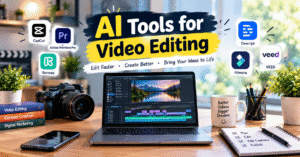
🎬 AI Tools for Video Editing in 2026
AI tools are making video editing faster, easier, and more creative. Whether you create YouTube videos, Instagram Reels, tutorials, or promotional videos, AI-powered editing tools can help you save time and improve video quality.
🎥 1. CapCut
CapCut offers features such as automatic captions, video effects, background removal, and AI-assisted editing. It is useful for short videos, Reels, and social media content.
✂️ 2. Adobe Premiere Pro
Adobe Premiere Pro includes AI-powered features that help editors improve workflows, edit footage, and work with audio and video more efficiently.
🤖 3. Runway
Runway provides AI-powered video generation and editing features. It can help creators experiment with visual effects and creative video ideas.
🎙️ 4. Descript
Descript allows users to edit video and audio through text-based editing. It is especially useful for interviews, podcasts, tutorials, and talking-head videos.
⚡ 5. Wondershare Filmora
Filmora offers user-friendly editing tools, AI-assisted features, effects, transitions, and audio enhancements for beginner and intermediate video creators.
📱 6. VEED
VEED is an online video editor with features such as automatic subtitles, audio cleanup, and AI-assisted video creation. It is useful for social media and marketing videos.
⭐ Benefits of AI Video Editing Tools
- ⏱️ Save Time: Automate repetitive editing tasks.
- 💬 Add Captions: Generate subtitles for videos.
- 🎨 Improve Visuals: Apply effects and enhance video presentation.
- 🎧 Enhance Audio: Reduce unwanted noise with supported tools.
- 🚀 Create Content Faster: Prepare videos for social media and marketing.
💡 How to Choose the Right AI Video Editor
Choose a tool based on your editing experience, budget, device, and video requirements. Check the latest pricing, export limits, and available features before subscribing.
Always review AI-generated edits, captions, and visuals before publishing to ensure accuracy and quality.
✅ Conclusion
AI video editing tools can help content creators, YouTubers, students, and digital marketers produce engaging videos more efficiently. CapCut, Adobe Premiere Pro, Runway, Descript, Filmora, and VEED offer different features for different editing needs. Choose the tool that best fits your workflow and creative goals.
🎬 AI Tools for Video Editing in 2026
आज के digital world में AI tools की मदद से video editing करना पहले से ज्यादा आसान और fast हो गया है। अगर आप YouTube videos, Instagram Reels, tutorials या promotional videos बनाते हैं, तो AI video editing tools आपका समय बचाने और video quality improve करने में मदद कर सकते हैं।
🎥 1. CapCut
CapCut एक popular video editing tool है, जिसमें automatic captions, video effects, background removal और AI-assisted editing जैसे features मिलते हैं। यह Instagram Reels, YouTube Shorts और social media videos बनाने के लिए useful है।
✂️ 2. Adobe Premiere Pro
Adobe Premiere Pro professional video editing के लिए इस्तेमाल किया जाता है। इसके AI-powered features video editing workflow को आसान बनाने, audio improve करने और footage को efficiently edit करने में मदद करते हैं।
🤖 3. Runway
Runway AI-powered video generation और editing features प्रदान करता है। इसकी मदद से creators creative visuals, special effects और unique video concepts तैयार कर सकते हैं।
🎙️ 4. Descript
Descript एक useful tool है, जिसमें आप text को edit करके video और audio में changes कर सकते हैं। यह podcasts, interviews, tutorials और talking-head videos बनाने वालों के लिए helpful है।
⚡ 5. Wondershare Filmora
Filmora beginners और intermediate creators के लिए एक user-friendly video editor है। इसमें AI-assisted features, transitions, effects और audio enhancement जैसे options मिलते हैं।
📱 6. VEED
VEED एक online video editor है, जिसकी मदद से आप automatic subtitles, audio cleanup और AI-assisted video creation जैसे features इस्तेमाल कर सकते हैं। यह social media content और marketing videos के लिए useful है।
⭐ Benefits of AI Video Editing Tools
- ⏱️ Save Time: Repetitive editing tasks को जल्दी पूरा करें।
- 💬 Automatic Captions: Videos के लिए subtitles generate करें।
- 🎨 Improve Visual Quality: Effects और visual enhancements से videos को attractive बनाएं।
- 🎧 Better Audio: Supported tools की मदद से unwanted background noise कम करें।
- 🚀 Create Faster: Social media और marketing के लिए videos जल्दी तैयार करें।
💡 How to Choose the Right AI Video Editing Tool?
सही tool चुनने के लिए अपने budget, editing experience, device और video requirements को ध्यान में रखें। कुछ tools beginners के लिए आसान होते हैं, जबकि कुछ professional editing के लिए बेहतर होते हैं।
किसी भी tool को खरीदने से पहले उसके pricing plans, free features और export limitations जरूर check करें। Video publish करने से पहले captions, audio और AI-generated visuals को review करना भी जरूरी है।
✅ Conclusion
AI video editing tools creators, YouTubers, students और digital marketers के लिए video creation को आसान बना सकते हैं। CapCut, Adobe Premiere Pro, Runway, Descript, Filmora और VEED जैसे tools अलग-अलग editing needs के लिए useful हैं।