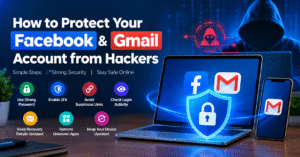
🔐 How to Protect Your Facebook & Gmail Account from Hackers
Facebook and Gmail are an important part of our daily online life. They contain personal information, photos, emails, and other important data. That is why protecting these accounts from hackers is very important.
🔑 1. Use a Strong Password
Always create a strong and unique password for your Facebook and Gmail accounts.
Use a combination of letters, numbers, and special characters. Avoid using your name, birthday, or phone number in your password.
👉 Strong Password = Better Security
🛡️ 2. Enable Two-Factor Authentication
Turn on Two-Factor Authentication (2FA) for an extra layer of security.
With 2FA enabled, you need an additional verification step along with your password when logging in.
👉 2FA makes your account much more secure.
🚨 3. Avoid Suspicious Links
Hackers often send fake links and messages to steal your login information.
Never click on unknown links, and always check the website address before entering your login details.
⚠️ Think Before You Click.
🔒 4. Never Share Your OTP
Your OTP, password, and security codes should always remain private.
If someone asks for your OTP, never share it with them.
❌ Never Share Your OTP or Password.
👀 5. Check Login Activity
Regularly check which devices are logged into your Facebook and Gmail accounts.
If you see an unknown device, log it out immediately and change your password.
📧 6. Keep Recovery Details Updated
Keep your recovery email address and phone number updated.
This information can help you recover your account if you ever lose access to it.
🔗 7. Remove Unknown Apps
Some apps and websites may be connected to your Facebook or Google account.
Review your connected apps regularly and remove access from apps you no longer use.
👉 Unknown Apps = Remove Access
💻 8. Keep Your Device Updated
Always keep your phone, computer, browser, and apps updated.
Security updates can help protect your device from known security vulnerabilities.
🚨 What to Do If Your Account Gets Hacked?
If you think your account has been hacked, take action immediately:
- 🔑 Change your password
- 🛡️ Enable 2FA
- 👀 Log out unknown devices
- 🔗 Remove suspicious apps
- 📧 Check your recovery details
✅ Final Thoughts
Protecting your Facebook and Gmail accounts does not have to be difficult. Use a strong password, enable 2FA, avoid suspicious links, and regularly check your account security.
🔐 Stay Alert, Stay Secure!
🔐 How to Protect Your Facebook & Gmail Account from Hackers
Facebook और Gmail आज हमारी daily online life का important हिस्सा हैं। इनमें personal information, photos, emails और important data होता है। इसलिए इन accounts को hackers से safe रखना बहुत जरूरी है।
🔑 1. Use a Strong Password
Always create a strong and unique password for your Facebook and Gmail accounts.
Use letters, numbers and special characters. अपना name, birthday या mobile number password में use न करें।
👉 Strong Password = Better Security
🛡️ 2. Enable Two-Factor Authentication
Turn on Two-Factor Authentication (2FA) for extra security.
इससे login के time password के साथ एक additional verification भी चाहिए होता है।
👉 2FA आपके account को ज्यादा सुरक्षित बनाता है।
🚨 3. Avoid Suspicious Links
Hackers अक्सर fake links और messages भेजकर login details चुराने की कोशिश करते हैं।
Unknown links पर click न करें और कोई भी login information enter करने से पहले website address check करें।
⚠️ Think Before You Click.
🔒 4. Never Share OTP
Your OTP, password और security code हमेशा private रखें।
अगर कोई व्यक्ति OTP मांगता है, तो उसे कभी share न करें।
❌ Never Share Your OTP or Password.
👀 5. Check Login Activity
Regularly check करें कि आपके Facebook और Gmail account में कौन-कौन से devices logged in हैं।
अगर कोई unknown device दिखाई दे, तो तुरंत logout करें और password change करें।
📧 6. Keep Recovery Details Updated
अपना recovery email और phone number हमेशा updated रखें।
यह information account access खोने पर recovery में मदद कर सकती है।
🔗 7. Remove Unknown Apps
कई apps आपके Facebook या Google account से connected हो सकते हैं।
जो apps आप use नहीं करते, उनकी access remove कर दें।
👉 Unknown Apps = Remove Access
💻 8. Keep Your Device Updated
Always keep your phone, computer, browser और apps updated रखें।
Security updates आपके device को कई known security problems से बचाने में help करते हैं।
🚨 If Your Account Gets Hacked
अगर आपको लगता है कि account hack हो गया है, तो तुरंत:
- 🔑 Password change करें
- 🛡️ 2FA enable करें
- 👀 Unknown devices logout करें
- 🔗 Suspicious apps remove करें
- 📧 Recovery details check करें
✅ Final Thoughts
Facebook और Gmail को secure रखना मुश्किल नहीं है। बस strong password, 2FA, safe browsing और regular security checks की habit बनाएं।
🔐 Stay Alert, Stay Safe!