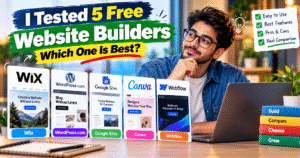
I Tested 5 Free Website Builders: Which One Is Best?
🌐 Introduction: Building a Website Does Not Have to Be Expensive
Creating a website is no longer something that only professional developers or large companies can afford. Today, anyone can start a website using free website builders, even without technical knowledge, coding experience, or a large budget. Whether you want to launch a personal blog, create a portfolio, promote a small business, share your knowledge, or build an online presence for your brand, there are several platforms that make the process easier than ever.
However, choosing the right website builder can be confusing. Every platform promises an easy setup, attractive templates, and convenient publishing tools, but the actual experience can vary significantly. Some builders are excellent for beginners, while others offer more flexibility for people who want greater control over their website design. Certain platforms are ideal for publishing articles, whereas others are better suited to landing pages, portfolios, or simple informational websites.
Another important factor is the meaning of “free.” Many website builders allow you to create and publish a website without an initial payment, but their free plans may include platform branding, limited storage, restricted customization, or a branded website address. Some advanced features, such as connecting a custom domain, accepting online payments, or using advanced marketing tools, may require a paid subscription.
In this guide, we will explore five popular free website builders: Wix, WordPress.com, Google Sites, Canva Websites, and Webflow. We will examine their main features, advantages, limitations, ease of use, and ideal use cases to help you choose the platform that best matches your needs.
🏆 1. Wix: A Flexible Website Builder for Beginners
Wix is a popular choice for people who want to create a website without learning programming. Its visual editor allows users to arrange elements, add images, change colors, customize text, and build pages using a largely visual workflow. Instead of starting with a blank screen, beginners can choose a template and adjust it according to their preferences.
One of Wix’s biggest advantages is its versatility. You can use it to create a personal portfolio, a service-based business website, a photography page, a restaurant website, or a simple online presence for a local company. Its template selection makes it easier to find a design that suits your industry, while its editing tools give you more creative freedom than many basic website builders.
Wix can also help users organize important website sections, such as an About Us page, a Services page, a contact section, and a homepage. This is particularly helpful for small business owners who want visitors to understand what they offer without navigating through a complicated website.
✨ Key Features of Wix
- 🎨 Visual website editor: Customize page layouts, text, images, and other design elements.
- 📱 Mobile-friendly design tools: Create a website that can be adapted for visitors using smartphones and tablets.
- 🧩 Ready-made templates: Start with an existing design rather than building every page from scratch.
- 🏢 Business website support: Organize service descriptions, business information, and contact details.
- 🛠️ Additional functionality: Explore available integrations and apps when your website needs more features.
✅ Advantages of Wix
Wix is a strong option for beginners who want a website that looks more customized than a basic text page. Its visual interface makes website creation approachable, and its templates help users get started quickly. It is especially useful when design flexibility matters and you want your website to reflect a particular business or personal brand.
⚠️ Limitations of Wix
The free plan is not the same as a fully branded professional website. Depending on the current plan, you may have to use a Wix-branded web address and accept Wix branding or other feature restrictions. Some business functions and advanced tools may require an upgrade.
👤 Who Should Choose Wix?
Wix is worth considering if you are a beginner, freelancer, photographer, consultant, or small business owner who wants to build a visually appealing website without writing code. It is particularly suitable for projects where the appearance and layout of individual pages matter.
📝 2. WordPress.com: A Strong Choice for Bloggers and Content Creators
WordPress.com is an excellent platform to consider if your main goal is publishing articles and growing a content-focused website. Unlike a website that mainly serves as an online brochure, a blog needs an efficient way to publish posts, organize categories, update older content, and help readers discover related articles. WordPress.com is designed to support this type of publishing workflow.
The platform provides a block-based editor that allows you to create content using paragraphs, headings, images, lists, buttons, and other supported blocks. This makes it easier to structure an article without manually writing HTML. You can focus on the content itself while using the editor to organize the layout and improve readability.
For example, someone starting a technology blog could publish tutorials about Android updates, smartphone security, website tools, software troubleshooting, and new digital features. Over time, these articles can be organized into categories so visitors can easily explore different topics. A food blogger, travel writer, educator, or personal finance publisher could follow a similar approach.
WordPress.com also provides hosting as part of its service, which means beginners do not need to arrange separate web hosting to start using the platform. The free plan is a useful way to learn how blogging works before deciding whether to invest in additional features.
✨ Key Features of WordPress.com
- ✍️ Article publishing tools: Write, edit, and publish blog posts through a structured editor.
- 🗂️ Content organization: Use categories and tags to organize articles and help readers navigate your content.
- 🖼️ Media support: Add images and other supported media to make posts more engaging.
- 🎨 Themes: Choose an available theme to establish the overall appearance of your website.
- 🔄 Content management: Return to published posts to correct information, update details, and improve older articles.
- 🌱 Room to grow: Explore additional customization and publishing features as your needs develop.
✅ Advantages of WordPress.com
The biggest advantage is its focus on content publishing. If you intend to publish articles regularly, the platform provides a familiar structure for creating posts and managing a growing library of content. It is also suitable for people who want to experiment with blogging before spending money on a custom website.
⚠️ Limitations of WordPress.com
The free plan has limitations compared with paid plans, and your website will generally use a WordPress.com subdomain unless you connect an eligible custom domain through an available paid option. Some customization, monetization, and plugin-related features depend on your plan. It is also important to understand that WordPress.com is a hosted service and is different from the self-hosted WordPress software available through WordPress.org.
👤 Who Should Choose WordPress.com?
WordPress.com is a particularly good starting point for bloggers, writers, technology publishers, educators, and content creators. If your website will mainly contain articles, guides, tutorials, and regularly updated information, it deserves serious consideration.
🔎 3. Google Sites: A Simple Solution for Basic Websites
Google Sites takes a straightforward approach to website creation. It is designed for people who need to organize and share information without dealing with a complicated design process. Instead of offering extensive styling controls, it focuses on making it easy to assemble pages, add content, and publish a functional website.
This simplicity makes Google Sites useful for school projects, team documentation, internal company resources, event information, educational materials, and basic business websites. You can create sections with text and images, organize information across multiple pages, and use supported Google content to build a practical information hub.
Imagine a small organization that needs a website explaining its services, displaying contact information, and answering common questions. A simple Google Sites project may be sufficient for that purpose. Similarly, a teacher could use it to organize lesson resources, while a student could create a website to present a project or portfolio.
The platform can be especially convenient for people who already use Google services. However, a simple editing experience also means that some users may find the design options restrictive compared with more advanced website builders.
✨ Key Features of Google Sites
- 🧱 Simple page editor: Build pages by arranging supported content elements.
- 📄 Multiple pages: Organize information into clear sections and navigation menus.
- 🖼️ Content embedding: Add supported documents, presentations, and other Google content where appropriate.
- 🤝 Collaboration: Work with other authorized users when building shared projects.
- 📱 Responsive layouts: Create pages that adapt to different screen sizes.
- 🚀 Straightforward publishing: Publish an informational website without managing a separate hosting setup.
✅ Advantages of Google Sites
Google Sites is approachable, practical, and useful for projects where clear information matters more than elaborate design. It is a sensible choice for beginners who want to publish a basic website quickly and avoid unnecessary complexity.
⚠️ Limitations of Google Sites
Its design flexibility and advanced marketing capabilities are more limited than those of many dedicated website platforms. People who want a sophisticated blog, extensive e-commerce functionality, advanced animations, or highly customized page layouts may eventually find it restrictive.
👤 Who Should Choose Google Sites?
Choose Google Sites if you need a simple website for information sharing, education, documentation, or a small project. It is particularly useful when functionality and simplicity are more important than having a highly distinctive visual design.
🎨 4. Canva Websites: Best for Attractive Landing Pages
Canva is widely associated with graphic design, but its website-building tools also allow users to create and publish simple websites. This makes it an interesting option for people who already use Canva to create social media posts, presentations, promotional graphics, or marketing materials.
The platform’s main strength is its visual approach. Users can work with text, images, graphic elements, backgrounds, and ready-made layouts to create a page that matches their preferred style. This can be helpful when you need an attractive presentation but do not want to learn a complex website editor.
For instance, a freelancer could build a simple portfolio displaying selected projects and contact information. An event organizer could create a page containing event details, a schedule, and registration links. A small business could also create a promotional landing page that introduces a service and directs visitors to a contact channel.
However, Canva Websites is best understood as a tool for simple, design-focused websites rather than a complete replacement for every content management system. A long-term publication with hundreds of articles, advanced navigation, and complex functionality may be better served by another platform.
✨ Key Features of Canva Websites
- 🖌️ Visual design tools: Create attractive page layouts using familiar graphic-design controls.
- 🧑💼 Portfolio presentation: Showcase work, projects, services, and achievements.
- 📢 Promotional pages: Create pages for events, campaigns, launches, and announcements.
- 🖼️ Design assets: Use supported images, graphics, and typography to develop a consistent appearance.
- 🔗 Clickable links: Direct visitors to contact information, social profiles, forms, or other relevant destinations.
- 🌐 Simple publishing: Publish supported website designs using available Canva publishing options.
✅ Advantages of Canva Websites
Canva is appealing to users who want visual results without learning traditional web design. Its familiar editing environment can make it easier to create a polished landing page, especially when the project relies heavily on graphics and concise information.
⚠️ Limitations of Canva Websites
The platform is less suited to complex websites that require advanced content management, extensive blogging workflows, or highly customized functionality. Free publishing options may also include Canva branding or other restrictions, so review the current plan details before using it for a professional project.
👤 Who Should Choose Canva Websites?
Canva Websites is a good option for creators, freelancers, designers, event organizers, and small businesses that need an attractive landing page or portfolio. It is particularly useful when you want the website’s visual presentation to match your existing promotional designs.
🧑💻 5. Webflow: A More Advanced Option for Visual Web Design
Webflow is designed for users who want greater control over the visual structure of a website. While simpler builders focus on quick page creation, Webflow provides a more detailed approach to layouts, spacing, typography, responsive behavior, and other design properties.
This additional control can be valuable for designers who want to understand how professional websites are structured. Instead of relying entirely on predefined templates, users can work with more detailed styling and layout tools to build a specific visual experience.
Webflow can be used for portfolios, landing pages, design experiments, and website prototypes. It can also help aspiring web designers learn concepts related to responsive layouts and structured page design. However, the flexibility comes with a learning curve, so beginners who simply want to publish a basic website may find it more complicated than necessary.
The free Starter site plan is useful for exploring the platform and experimenting with a small project. However, free publishing limits can become restrictive as a website grows, making it important to understand the available plan before choosing Webflow for a larger project.
✨ Key Features of Webflow
- 🧩 Detailed layout controls: Work with page structure, spacing, and visual arrangement.
- 🎯 Styling flexibility: Customize typography, colors, and supported design properties.
- 📱 Responsive design tools: Adjust layouts for different screen sizes.
- 🧪 Prototyping: Explore and refine designs before committing to a larger project.
- 🎨 Professional design workflow: Learn concepts that are useful when creating more sophisticated websites.
✅ Advantages of Webflow
Webflow provides greater visual control than many simple website builders. It can be a valuable learning environment for users interested in professional web design, and it allows designers to explore layouts beyond basic template customization.
⚠️ Limitations of Webflow
The editor can feel overwhelming to first-time users, especially those unfamiliar with website layout concepts. Its free Starter plan also has restrictions, including a limited number of static pages. More advanced publishing needs may require a paid plan.
👤 Who Should Choose Webflow?
Webflow is best suited to design-focused users, aspiring web designers, and people who want to learn more about professional website layouts. If your immediate goal is simply to publish articles or create a basic business page, a simpler alternative may save you time.
📊 Free Website Builders Compared: Which One Offers the Best Value?
Choosing a website builder becomes easier when you compare the platforms according to your actual requirements instead of relying only on popularity.
| Feature | Wix | WordPress.com | Google Sites | Canva Websites | Webflow |
|---|---|---|---|---|---|
| Beginner-friendly | Yes | Yes | Very easy | Very easy | Requires learning |
| Blogging | Good | Excellent fit | Basic | Limited | Possible, plan-dependent |
| Visual customization | High | Theme-dependent | Limited | Design-focused | High |
| Simple information pages | Yes | Yes | Excellent fit | Yes | Yes |
| Portfolios | Yes | Yes | Basic | Excellent fit | Excellent fit |
| Advanced layout control | Good | Theme-dependent | Limited | Moderate | Strong |
| Free-plan restrictions | Yes | Yes | Check setup options | Yes | Yes |
The table provides a practical overview rather than a guarantee of every feature in every plan. Website builders regularly change their offerings, so confirm current restrictions before making your decision.
💡 Which Features Matter Most?
If you are planning to publish content regularly, prioritize blogging tools, category organization, page navigation, and the ability to update old posts. A visually attractive homepage is useful, but an efficient publishing workflow becomes increasingly important as your website grows.
If you are building a business website, consider contact forms, service pages, mobile usability, domain options, and the ability to present your brand professionally. If you are creating a portfolio, focus on visual quality, project presentation, and how easily visitors can contact you.
For a basic information website, simplicity may be the most valuable feature. There is little reason to learn an advanced editor if a simple page already meets your needs.
🔍 Can You Rank a Free Website on Google?
One of the most common questions among new website owners is whether a free website can appear in Google Search. The answer is yes: a website does not automatically need a paid domain to be eligible for search visibility. However, being indexed and achieving good rankings are two different things.
Search engines evaluate many factors, including how useful and relevant your content is, how well your pages answer users’ questions, your website’s accessibility, and the overall quality of the experience. A free website builder does not guarantee rankings, and upgrading to a paid plan does not automatically make a website successful.
Start by creating useful pages with clear titles and descriptive headings. Write original content that answers real questions instead of repeating the same keywords unnecessarily. Organize your website so visitors can find related information easily, and make sure the content remains readable on mobile devices.
You should also review the SEO controls available on your chosen platform. Some builders provide more flexibility over metadata, URLs, redirects, structured content, and other technical settings than others. These differences may become important as your website expands.
🚀 Practical SEO Tips for a New Website
- 🔑 Choose relevant topics: Write about subjects that your intended audience actually searches for.
- 📝 Create descriptive page titles: Make it clear what readers will learn from each page.
- 🧭 Use meaningful headings: Organize articles into sections that are easy to scan.
- 🔗 Link related content: Help visitors move naturally between relevant pages.
- 📱 Check mobile usability: Make sure text, images, and navigation work well on smaller screens.
- 🖼️ Optimize images: Use suitable image dimensions and descriptive alternative text where appropriate.
- 🔄 Update important information: Review older articles when details, software versions, or recommendations change.
- 📈 Monitor performance: Use available search performance tools to understand which pages attract visitors and where improvements may be needed.
Remember that SEO takes time. Publishing one article is unlikely to produce consistent traffic immediately. A better long-term strategy is to publish useful information regularly, improve existing content, and build a website that genuinely helps its readers.
💰 What Does “Free” Really Mean?
Before choosing a platform, it is important to understand the difference between a free website and a completely unrestricted website. Most free website builders provide enough functionality to get started, but they often reserve certain features for paid plans.
A free plan may require you to use a subdomain such as a platform-provided web address rather than your own custom domain. It may display the platform’s branding, restrict storage, limit the number of pages, or exclude particular integrations. These limitations are not necessarily a problem for a personal project, but they can matter for a business or a website that you expect to grow.
For example, a student creating a project website may be perfectly happy with a free address. A business owner who wants customers to remember the company’s name may prefer a custom domain. Similarly, a blogger who is just learning how to publish articles may not need advanced tools immediately, whereas a more established publisher may eventually want additional control.
🛡️ Questions to Ask Before Publishing
Before selecting a free plan, check whether you can publish enough pages for your needs, whether the site includes advertisements or platform branding, and whether you can use the features you expect to need later.
You should also investigate what happens if you decide to upgrade or move to another platform. Website migration can involve transferring content, adjusting links, reconnecting a domain, and rebuilding parts of the design. Understanding these issues early can help you avoid unnecessary work in the future.
A free plan is most valuable when it helps you start learning and building without creating unexpected costs. Treat it as a way to test your idea, not as a promise that every future feature will remain free.
📱 Why Mobile-Friendly Design Matters
Many visitors browse websites using smartphones rather than desktop computers. A website that looks attractive on a large screen can become frustrating if the text is too small, the navigation is difficult to use, or images extend beyond the screen.
A good website builder should make it reasonably easy to create pages that adapt to different screen sizes. However, you should still preview your website on a phone before publishing it. Responsive behavior can vary depending on the template, content, and layout choices you make.
Pay particular attention to the readability of headings, paragraph spacing, image cropping, and the placement of buttons. Visitors should be able to understand your content without repeatedly zooming in or scrolling sideways.
Mobile usability is especially important for business websites. If a potential customer cannot easily find your phone number, contact details, service information, or booking link, they may leave without taking action. A simple and well-organized mobile layout can make the website more useful even when the design itself is not complicated.
🔐 Security, Hosting, and Website Maintenance
Choosing a website builder also means choosing how your website will be hosted and maintained. Hosted platforms generally manage much of the underlying infrastructure, which can make them easier for beginners than maintaining a separate web server. However, you still need to take responsibility for your account security, content accuracy, and website settings.
Use a strong, unique password and enable two-factor authentication if the platform supports it. Be careful when granting other people access to your website, and review permissions whenever a collaborator no longer needs them.
You should also keep your contact information, service descriptions, and published articles accurate. If your website collects personal information through forms, make sure you understand how that information is handled and what privacy disclosures may be necessary.
Before choosing a platform for a business-critical website, review its account recovery process, export options, terms, and available support. The ability to recover access or move your content can become important later, even if the initial website is very small.
🧭 How to Choose the Right Website Builder for Your Needs
The easiest way to make a decision is to begin with the purpose of your website. Rather than asking which platform is the most powerful, ask which platform makes your intended work easiest.
👨💻 If You Are a Complete Beginner
Start with a platform that feels comfortable to use. Google Sites and Canva Websites are good places to explore if you want a simple page, while Wix offers greater design flexibility. Do not spend too much time comparing advanced features that you may never need.
✍️ If You Want to Start a Blog
Consider WordPress.com first because its publishing workflow is designed around articles and content organization. Think about how often you will publish, how you want to group your posts, and whether you may eventually need additional customization.
🏢 If You Own a Small Business
Choose a builder that makes your services, contact details, business hours, and important calls to action easy to find. Wix can be useful for a more flexible business website, while Google Sites may be sufficient for a basic informational presence.
🎨 If You Want to Build a Portfolio
Canva Websites can help you create a visually appealing presentation with relatively little effort. Webflow is worth considering if you want more control over the layout and are willing to learn a more detailed editor.
📈 If You Plan to Grow Your Website
Look beyond the initial free plan. Consider whether the platform supports your long-term publishing needs, provides suitable customization options, and allows you to upgrade without rebuilding everything from scratch.
❓ Frequently Asked Questions About Free Website Builders
1. Which free website builder is best for beginners?
The best choice depends on the type of website you want to create. Wix is a strong option for visual customization, Google Sites works well for simple information pages, and Canva Websites is useful for attractive landing pages. Beginners planning to publish regular articles should also consider WordPress.com.
2. Can I create a website without knowing HTML or CSS?
Yes. All five platforms provide visual tools that let you build many types of websites without manually writing HTML or CSS. You may still benefit from learning basic web design concepts as your website becomes more sophisticated, but coding is not required to get started.
3. Can I publish a website for free permanently?
Several platforms offer ongoing free plans, although the available features and restrictions can change. A free plan may remain available without a fixed expiration date, but that does not mean every feature, domain option, or publishing capability is free forever. Always check the current terms.
4. Which free website builder is best for blogging?
WordPress.com is a strong choice for blogging because it offers tools for writing, publishing, and organizing articles. The best option still depends on your publishing workflow, customization requirements, and the limitations of the plan you select.
5. Can I use a custom domain with a free website builder?
Custom-domain support varies by platform and plan. Many free plans require you to use a platform-branded subdomain, while connecting a domain you own may require payment. Check the latest domain policies before making your decision.
6. Is Wix better than WordPress.com?
Neither platform is universally better. Wix is attractive to users who want flexible visual design, while WordPress.com is particularly suitable for people focused on publishing and managing articles. Your choice should depend on whether design flexibility or content publishing is more important to you.
7. Is Google Sites good for a business website?
Google Sites can work well for a simple website that provides business information, contact details, and links to important resources. If you need advanced lead generation, extensive customization, or more complex business functionality, compare it with other builders before deciding.
8. Are free website builders suitable for professional websites?
They can be suitable for some professional uses, especially portfolios, small projects, and early-stage businesses. However, platform branding, a non-custom domain, limited integrations, or missing features may make a paid plan more appropriate when your website becomes an important part of your brand.
9. Can I make money from a website built for free?
Potentially, but monetization options depend on the platform, its terms, and your chosen plan. Advertising, affiliate links, sponsorships, and selling products may have different requirements. Before relying on a free website for income, verify which monetization methods are permitted and supported.
10. Should I start free and upgrade later?
For many beginners, that is a sensible approach. A free plan lets you learn the editor, test your content idea, and understand what your audience needs before spending money. Just check the platform’s upgrade and migration options so you can make a more informed decision as your website grows.
🏁 Final Verdict: Which Free Website Builder Should You Choose?
After comparing the five platforms, the most useful conclusion is that the best website builder is the one that fits your actual goal. You do not need the most advanced editor to create a useful website, and you do not need to pay for features that you are unlikely to use.
Wix is a strong choice for beginners who want a flexible, visually customized website. WordPress.com is particularly suitable for bloggers and content creators who plan to publish articles regularly. Google Sites is ideal for straightforward information pages, while Canva Websites is useful for attractive portfolios and promotional landing pages. Webflow is worth exploring if you want greater control over visual layouts and are prepared to learn a more advanced design tool.
If you are completely new to website creation, start small. Choose a platform, create a homepage, add the essential information, and publish a few useful pages. Test the website on your phone and ask someone else to navigate it. This simple process will teach you more about your actual requirements than spending weeks comparing every available feature.
As your website grows, you can decide whether a custom domain, additional functionality, or a paid plan is worth the investment. The goal is not simply to create a website for free. The goal is to create a website that serves your audience, communicates your message clearly, and gives you a practical foundation for future growth.
Final recommendation: For blogging, start by exploring WordPress.com. For a general-purpose website, compare Wix with Google Sites. For a visual portfolio, consider Canva Websites, and for advanced design practice, explore Webflow. Choose based on your needs, understand the free-plan limitations, and build something useful before spending money.
Editorial note: This guide compares the platforms’ general capabilities and typical free-plan trade-offs. Features, pricing, and limits may change, so verify the current official plan details before publishing claims about specific restrictions.