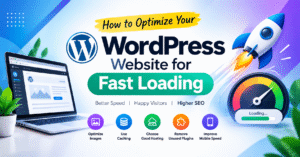
How to Optimize Your WordPress Website for Fast Loading
⚡ Introduction
A fast-loading website improves user experience and helps visitors explore your content easily. WordPress speed optimization can also support SEO and reduce the chances of visitors leaving your website too soon.
🚀 1. Choose a Lightweight Theme
Use a clean, responsive WordPress theme that loads quickly on mobile and desktop. Avoid unnecessary animations and heavy design elements.
🖼️ 2. Optimize Images
Compress images before uploading them and use modern formats like WebP. Smaller image files help your pages load faster without sacrificing too much quality.
⚙️ 3. Use a Caching Plugin
Caching helps WordPress deliver pages more efficiently. Plugins like LiteSpeed Cache and WP Super Cache can improve loading speed when configured correctly.
🌐 4. Choose Fast Web Hosting
Reliable hosting provides better server performance and stability. Choose a hosting plan that meets your website’s traffic and resource requirements.
🔌 5. Remove Unnecessary Plugins
Too many or poorly optimized plugins can affect performance. Delete unused plugins and keep essential ones updated.
📱 6. Improve Mobile Speed
Make sure your website works smoothly on smartphones. Use responsive layouts, optimize images, and avoid unnecessary scripts that slow down mobile browsing.
📊 7. Test Your Website Speed
Use Google PageSpeed Insights to identify performance issues and get suggestions for improvement. Test your website regularly to track progress.
✅ Conclusion
Optimizing your WordPress website can be simple when you focus on images, caching, hosting, and lightweight design. These steps can improve loading speed, user experience, and overall website performance.
How to Optimize Your WordPress Website for Fast Loading
⚡ Introduction
A fast-loading website visitors को बेहतर experience देती है। अगर आपकी WordPress website slow load होती है, तो visitors जल्दी leave कर सकते हैं। Website speed improve करने से user experience बेहतर होता है और SEO performance को भी support मिल सकता है।
🚀 1. Choose a Lightweight Theme
अपनी website के लिए lightweight और responsive WordPress theme choose करें। एक simple theme website को fast load करने और mobile पर smoothly चलाने में मदद करती है।
🖼️ 2. Optimize Website Images
Large images website की loading speed slow कर सकती हैं। Images को compress करें और WebP format use करें, ताकि image quality बनाए रखते हुए file size कम किया जा सके।
⚙️ 3. Use a Caching Plugin
Caching आपकी website के pages को efficiently load करने में मदद करती है। LiteSpeed Cache या WP Super Cache जैसे plugins use करके website performance improve कर सकते हैं।
🌐 4. Choose Fast Web Hosting
Good hosting आपकी website की speed और stability के लिए important है। ऐसा hosting provider choose करें जो आपके website traffic और performance requirements को support करे।
🔌 5. Remove Unnecessary Plugins
बहुत सारे या poorly optimized plugins website को slow कर सकते हैं। Unused plugins को remove करें और जरूरी plugins को regularly update करते रहें।
📱 6. Improve Mobile Loading Speed
आजकल बहुत से users mobile से websites visit करते हैं। इसलिए responsive design use करें, images optimize करें और unnecessary scripts को कम रखें।
📊 7. Test Your Website Speed
Google PageSpeed Insights से अपनी website की speed test करें। यह tool आपको loading issues identify करने और performance improve करने के लिए useful suggestions देता है।
✅ Conclusion
WordPress website को fast बनाने के लिए image optimization, caching, good hosting और lightweight theme पर focus करें। इन simple steps से website performance और user experience बेहतर हो सकता है।