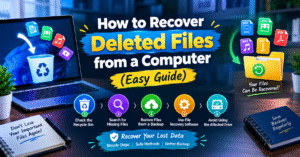
💻 How to Recover Deleted Files from a Computer (Easy Guide)
📌 Introduction
Accidentally deleting important files, photos, or documents from your computer can be stressful. Fortunately, there are several ways to recover deleted files. By following a few simple steps, you may be able to restore your lost data.
🗑️ 1. Check the Recycle Bin
The first step is to open the Recycle Bin on your Windows computer. If you find the deleted file, right-click it and select Restore. The file will usually return to its original location.
🔍 2. Search for Missing Files
Sometimes, files are moved rather than deleted. Use Windows Search to look for the file by name. Also, check common folders such as Documents, Downloads, and Desktop.
🕒 3. Restore Files from a Backup
If you previously enabled File History or another backup service, you may be able to restore an earlier version of your files. Regular backups are one of the most reliable ways to protect important data.
💾 4. Use File Recovery Software
If the file is not in the Recycle Bin, you can try a trusted recovery tool. Microsoft’s Windows File Recovery is an option for supported Windows systems. Follow the official instructions carefully, and save recovered files to a different drive whenever possible.
⚠️ 5. Avoid Using the Affected Drive
If a file has been permanently deleted, stop saving new files or installing software on the affected drive. New data may overwrite the deleted file, making recovery more difficult.
✅ Conclusion
Recovering deleted files is sometimes possible with the help of the Recycle Bin, backups, or file recovery tools. However, recovery is not guaranteed. To protect your important documents and photos, maintain regular backups and store copies of essential files in a safe location.
💻 How to Recover Deleted Files from a Computer (Easy Guide)
📌 Introduction
कभी-कभी गलती से computer से important files, photos या documents delete हो जाते हैं। लेकिन चिंता करने की जरूरत नहीं है। कुछ आसान methods की मदद से आप अपनी deleted files को recover करने की कोशिश कर सकते हैं।
🗑️ 1. Check the Recycle Bin
सबसे पहले अपने computer का Recycle Bin open करें। अगर आपकी deleted file वहाँ मौजूद है, तो उस पर right-click करके Restore चुनें। आपकी file आमतौर पर अपनी original location पर वापस आ जाएगी।
🔍 2. Use Windows Search
अगर file delete नहीं हुई है और सिर्फ आपको मिल नहीं रही, तो Windows Search में उसका नाम type करें। साथ ही Documents, Downloads और Desktop folders भी check करें।
🕒 3. Restore Previous Versions
अगर आपने पहले File History या कोई backup feature enable किया था, तो आप पुराने versions से files restore कर सकते हैं। यह तरीका accidental deletion के बाद काफी useful हो सकता है।
💾 4. Use File Recovery Tools
अगर file Recycle Bin में नहीं है, तो trusted file recovery software की मदद ली जा सकती है। Windows में Microsoft का Windows File Recovery tool भी उपलब्ध है। Recovery की guarantee नहीं होती, इसलिए सही instructions follow करना जरूरी है।
⚠️ 5. Stop Using the Affected Drive
अगर कोई important file permanently delete हो गई है, तो उस drive पर नई files save या software install करने से बचें। नया data पुराने deleted data को overwrite कर सकता है, जिससे recovery मुश्किल हो सकती है।
✅ Conclusion
Deleted files को recover करने के लिए पहले Recycle Bin check करें, फिर available backups और recovery tools का इस्तेमाल करें। भविष्य में important documents और photos खोने से बचने के लिए regular backups बनाते रहें।