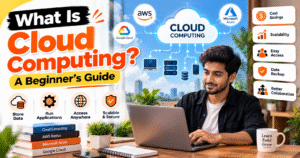
What Is Cloud Computing? A Beginner’s Guide
Cloud computing is a technology that allows you to store data, run applications, and access computing resources over the internet instead of relying entirely on your personal computer or local servers. It makes technology more flexible, convenient, and accessible for individuals, students, and businesses.
☁️ What Is Cloud Computing?
Cloud computing means using internet-based services to access storage, servers, databases, software, and computing power whenever you need them. For example, when you store photos in Google Drive or use Gmail through your browser, you are using cloud-based services.
Instead of purchasing and maintaining expensive hardware, users can access resources provided by cloud service providers.
🚀 How Does Cloud Computing Work?
Cloud computing works through remote data centers that contain powerful servers and storage systems. These resources are managed by cloud providers and accessed over the internet.
When you upload a file, run an online application, or access a cloud-hosted website, the required data and computing resources are processed by remote servers and delivered to your device.
💡 Types of Cloud Computing
1. Public Cloud
Public cloud services are provided over the internet and shared among multiple customers. Examples include Amazon Web Services (AWS), Microsoft Azure, and Google Cloud.
2. Private Cloud
A private cloud is designed for use by a single organization. It offers greater control over infrastructure, access, and security configurations.
3. Hybrid Cloud
A hybrid cloud combines public and private cloud environments, allowing organizations to use both according to their needs.
🛠️ Cloud Computing Service Models
- IaaS (Infrastructure as a Service): Provides computing resources such as virtual servers, networking, and storage.
- PaaS (Platform as a Service): Provides a platform for developers to build, test, and deploy applications.
- SaaS (Software as a Service): Allows users to access software over the internet without managing the underlying infrastructure, such as Google Workspace.
⭐ Benefits of Cloud Computing
- Cost Savings: Reduce the need to purchase and maintain physical servers.
- Scalability: Increase or decrease computing resources as needed.
- Accessibility: Access files and applications from different locations.
- Backup and Recovery: Use cloud services to support data backup and disaster recovery.
- Collaboration: Share files and work with team members more easily.
🎯 Conclusion
Cloud computing has changed how individuals and businesses use technology. From storing personal files to hosting websites and running advanced applications, cloud services provide flexible and scalable solutions for many needs.
If you are a beginner, start by exploring services such as Google Drive and AWS. Understanding the basics of cloud computing can help you build a strong foundation for learning web development, cloud engineering, and other technology skills.
What Is Cloud Computing? A Beginner’s Guide
आज के digital समय में Cloud Computing का इस्तेमाल लगभग हर जगह किया जा रहा है। चाहे आप Google Drive पर अपनी files store करते हों, Gmail इस्तेमाल करते हों या online applications चलाते हों, इन सभी में cloud technology की भूमिका हो सकती है। Cloud Computing की मदद से आप बिना अपना महँगा server खरीदे internet के जरिए storage, software और computing resources का इस्तेमाल कर सकते हैं।
☁️ What Is Cloud Computing?
Cloud Computing एक ऐसी technology है, जिसमें internet के माध्यम से data store करना, applications चलाना और computing resources का इस्तेमाल करना संभव होता है। इसमें आपको हर चीज अपने computer में install या store करने की जरूरत नहीं होती।
उदाहरण के लिए, जब आप Google Drive पर photos या documents upload करते हैं, तो आप cloud storage का इस्तेमाल कर रहे होते हैं। इसी तरह businesses अपनी websites और applications को cloud servers पर host कर सकते हैं।
🚀 How Does Cloud Computing Work?
Cloud Computing में powerful servers और storage systems का इस्तेमाल किया जाता है, जो बड़े data centers में रखे होते हैं। जब आप किसी cloud service का इस्तेमाल करते हैं, तो आपका device internet के जरिए इन remote servers से connect होता है।
इसके बाद जरूरी data या computing resources आपके device तक पहुँचाए जाते हैं। इस पूरी प्रक्रिया में cloud provider infrastructure को manage करता है, जबकि आप अपनी जरूरत के अनुसार services का इस्तेमाल करते हैं।
💡 Types of Cloud Computing
1. Public Cloud
Public Cloud में services internet के माध्यम से कई customers को उपलब्ध कराई जाती हैं। इसका इस्तेमाल करना आसान होता है और जरूरत के अनुसार resources लिए जा सकते हैं। उदाहरण: AWS, Microsoft Azure और Google Cloud।
2. Private Cloud
Private Cloud किसी एक organization के लिए बनाया जाता है। इसमें organization को अपने infrastructure, access और security settings पर अधिक control मिल सकता है।
3. Hybrid Cloud
Hybrid Cloud, Public Cloud और Private Cloud का combination होता है। Businesses अपनी जरूरत के अनुसार दोनों environments का इस्तेमाल कर सकते हैं।
🛠️ Cloud Computing Service Models
IaaS (Infrastructure as a Service)
IaaS में virtual servers, networking और storage जैसे computing resources मिलते हैं। इससे businesses को अपना physical server खरीदने की जरूरत कम हो सकती है।
PaaS (Platform as a Service)
PaaS developers को applications बनाने, test करने और deploy करने के लिए platform प्रदान करता है। इससे development process आसान हो सकती है।
SaaS (Software as a Service)
SaaS में software को internet के जरिए इस्तेमाल किया जाता है। इसमें users को software के underlying infrastructure को manage नहीं करना पड़ता। उदाहरण: Gmail और Google Workspace।
⭐ Benefits of Cloud Computing
- Cost Saving: Physical servers खरीदने और maintain करने का खर्च कम हो सकता है।
- Scalability: जरूरत के अनुसार computing resources बढ़ा या घ