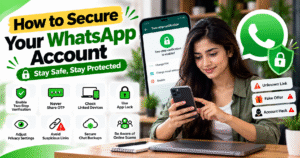
How to Secure Your WhatsApp Account
WhatsApp is one of the most popular messaging apps for sending messages, making video calls, and sharing photos and documents. However, if your account is not properly protected, scammers may try to gain access to it or misuse your personal information. Taking a few simple security measures can help keep your WhatsApp account safe.
🔐 1. Enable Two-Step Verification
Two-step verification adds an extra layer of security to your WhatsApp account. Open WhatsApp and go to Settings → Account → Two-step verification to set up your PIN. Add a recovery email address if the option is available.
🔑 2. Never Share Your OTP
Never share your WhatsApp verification code with anyone. Scammers may pretend to be friends, family members, or support representatives to trick you into revealing the code.
Keep your verification codes private, even if the request appears urgent or genuine.
📱 3. Check Linked Devices
WhatsApp allows you to link your account to computers and other devices. If an unfamiliar device is linked, someone else may be able to access your account.
Open Settings → Linked Devices, review the connected devices, and log out of any device you do not recognize.
🔒 4. Enable App Lock
Protect WhatsApp with fingerprint authentication or Face ID, depending on your device. This helps prevent other people from opening your WhatsApp when they have access to your phone.
You can find the relevant privacy or app-lock options in WhatsApp settings, depending on your device.
🛡️ 5. Adjust Your Privacy Settings
Review who can see your profile photo, last seen, online status, About information, and Status updates. You can also adjust who is allowed to add you to groups and enable the option to silence unknown callers.
These settings help you maintain greater control over your personal information.
🚨 6. Avoid Suspicious Links and Messages
Be careful with messages containing unknown links, fake offers, prize notifications, or urgent requests for money. Before sending money to someone, verify their identity through another trusted method.
Avoid downloading suspicious files or sharing personal information with unknown contacts.
💾 7. Protect Your Chat Backups
If you back up your WhatsApp chats, review your backup security settings. Where available, enable end-to-end encrypted backups and keep your backup password or encryption key in a safe place.
Without the required password or key, recovering an encrypted backup may not be possible.
✅ Conclusion
Securing your WhatsApp account does not have to be complicated. Enable two-step verification, keep your verification codes private, review linked devices, and adjust your privacy settings regularly.
By following these simple security practices, you can reduce the risk of unauthorized access and protect your conversations and personal information from common online threats.
How to Secure Your WhatsApp Account
आज के digital दौर में WhatsApp का इस्तेमाल messages भेजने, video calls करने और photos, documents share करने के लिए किया जाता है। लेकिन अगर आपका account सुरक्षित नहीं है, तो scammers आपके account को access करने या personal information चुराने की कोशिश कर सकते हैं। इसलिए अपने WhatsApp account की security मजबूत रखना बहुत जरूरी है।
🔐 1. Enable Two-Step Verification
WhatsApp में Two-Step Verification enable करने से आपके account को extra security मिलती है। इसके लिए WhatsApp खोलें और Settings → Account → Two-step verification में जाकर अपना PIN set करें। Recovery के लिए अपना email address भी add करें।
🔑 2. Never Share Your OTP
WhatsApp registration के दौरान मिलने वाला verification code किसी के साथ share न करें। कोई व्यक्ति खुद को friend, family member या WhatsApp support बताकर code माँगे, तब भी उसे न दें।
📱 3. Check Linked Devices
अगर किसी दूसरे computer या device पर आपका WhatsApp account linked है, तो वहाँ आपकी chats access हो सकती हैं। WhatsApp में Settings → Linked Devices खोलें और किसी unknown device को देखकर उसे तुरंत log out करें।
🔒 4. Enable App Lock
अपने WhatsApp को सुरक्षित रखने के लिए fingerprint lock या Face ID जैसी सुविधा enable करें, अगर आपके device पर उपलब्ध है। इससे आपके phone तक पहुँच रखने वाला कोई दूसरा व्यक्ति आसानी से WhatsApp नहीं खोल पाएगा।
🛡️ 5. Adjust Your Privacy Settings
WhatsApp की privacy settings में जाकर तय करें कि कौन आपकी profile photo, last seen, online status, About और Status देख सकता है। Unknown callers को silence करने और groups में कौन आपको add कर सकता है, इसकी settings भी check करें।
🚨 6. Avoid Suspicious Links and Messages
Unknown numbers से आए suspicious links, fake offers और prize messages पर click करने से बचें। किसी भी व्यक्ति को पैसे भेजने से पहले उसकी पहचान verify करें, खासकर अगर वह अचानक emergency बताकर पैसे माँग रहा हो।
💾 7. Protect Your Chat Backups
अगर आप WhatsApp chats का backup लेते हैं, तो backup settings check करें। उपलब्ध होने पर End-to-end encrypted backup enable करें और उसका password या encryption key सुरक्षित रखें। इसे किसी के साथ share न करें।
✅ Conclusion
अपने WhatsApp account को secure रखना मुश्किल नहीं है। Two-step verification enable करें, OTP किसी को न दें, linked devices नियमित रूप से check करें और privacy settings को अपनी जरूरत के अनुसार configure करें।
इन आसान security steps को अपनाकर आप अपने account को unauthorized access और कई common online scams से बेहतर तरीके से सुरक्षित रख सकते हैं।