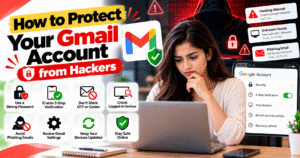
How to Protect Your Gmail Account from Hackers
Gmail is widely used for personal communication, online accounts, banking alerts, and important documents. If someone gains unauthorized access to your Gmail account, they may also try to access other services connected to it. That’s why protecting your Gmail account is essential for keeping your personal information safe.
🔐 1. Use a Strong Password
Create a strong, unique password for your Google account. Avoid using easily guessed information such as your name, birthday, or phone number. Never reuse the same password across multiple websites.
🛡️ 2. Enable Two-Step Verification
Two-Step Verification adds an extra layer of security to your Google account. Even if someone learns your password, they may still need another verification method to sign in.
Open your Google Account, go to Security, and enable 2-Step Verification. Where available, consider using a passkey or security key for stronger protection.
🚨 3. Never Share OTPs or Verification Codes
Hackers may pretend to be Google support or someone you trust to trick you into sharing a verification code. Never share your OTP, password, or recovery codes with anyone.
Google will not ask you to reveal your password or verification codes through an unsolicited message.
📱 4. Check Devices Signed In to Your Account
Regularly review the devices connected to your Google account. Open your Google Account, select Security, and check your devices under the section for your devices.
If you find an unfamiliar device or suspicious session, sign it out and secure your account.
📧 5. Watch Out for Phishing Emails
Phishing emails may look like genuine messages from Google, banks, or popular services. They may ask you to click a link, verify your account, or provide sensitive information.
Before clicking a link, check the sender carefully and visit the official website directly when in doubt. Never enter your password on a suspicious page.
🔎 6. Review Your Gmail Settings
Check your Gmail settings for suspicious forwarding rules, filters, delegated access, or unfamiliar recovery details. An attacker with account access may change these settings to receive copies of your emails or hide certain messages.
Remove anything you do not recognize and update your recovery phone number and email address if necessary.
🔄 7. Keep Your Devices Updated
Install security updates for your phone, computer, browser, and apps. Avoid installing unknown software or browser extensions, as some may steal passwords or personal information.
Use a trusted security solution and remove applications you no longer need.
🚀 What to Do If Your Gmail Account Is Hacked?
If you suspect someone has accessed your account, use a trusted device to change your password immediately. Review your signed-in devices, remove unfamiliar sessions, check recovery information, and enable two-step verification.
If you cannot sign in, visit Google’s official account recovery page at accounts.google.com/signin/recovery. Also secure other accounts that use the same password.
✅ Conclusion
Protecting your Gmail account starts with a strong password, two-step verification, and regular security checks. Avoid suspicious links, never share verification codes, and review the devices connected to your account.
These simple habits can help reduce the risk of unauthorized access and keep your emails, personal information, and connected accounts safer.
How to Protect Your Gmail Account from Hackers
आज के digital समय में Gmail का इस्तेमाल emails भेजने, online accounts बनाने, banking alerts पाने और जरूरी documents store करने के लिए किया जाता है। अगर कोई hacker आपके Gmail account का access हासिल कर लेता है, तो वह आपकी personal information और दूसरे connected accounts को भी निशाना बना सकता है। इसलिए अपने Gmail account को सुरक्षित रखना बहुत जरूरी है।
🔐 1. Use a Strong Password
अपने Google account के लिए strong और unique password बनाएँ। अपना नाम, जन्मतिथि या phone number जैसे आसानी से guess होने वाले details password में इस्तेमाल न करें।
हर website के लिए अलग password रखें और अपना password किसी के साथ share न करें।
🛡️ 2. Enable Two-Step Verification
Two-Step Verification आपके Google account को extra security देती है। अगर किसी को आपका password पता भी चल जाए, तो उसे login करने के लिए एक additional verification method की भी जरूरत हो सकती है।
इसे enable करने के लिए Google Account खोलें, Security → 2-Step Verification पर जाएँ और instructions follow करें। जहाँ उपलब्ध हो, passkey या security key का इस्तेमाल भी कर सकते हैं।
🚨 3. Never Share OTPs or Verification Codes
Hackers खुद को Google support, bank employee या किसी जान-पहचान वाले व्यक्ति के रूप में दिखाकर आपसे verification code माँग सकते हैं।
अपना OTP, password या recovery code किसी के साथ share न करें। किसी भी suspicious message पर भरोसा करने से पहले उसकी authenticity check करें।
📱 4. Check Devices Signed In to Your Account
अपने Google account में regularly check करें कि कौन-कौन से devices login हैं।
इसके लिए Google Account में Security → Your devices section खोलें। अगर कोई unknown device या suspicious session दिखाई देता है, तो उसे sign out करें और अपने account की security check करें।
📧 5. Avoid Phishing Emails
Phishing emails ऐसे नकली messages होते हैं जो देखने में genuine लगते हैं, लेकिन उनका उद्देश्य आपकी personal information या password चुराना हो सकता है।
ऐसे emails में account बंद होने, security problem या urgent verification का message दिया जा सकता है। Unknown links पर click करने के बजाय official website को खुद open करके जानकारी verify करें।
🔎 6. Review Your Gmail Settings
अपने Gmail account की settings check करें और देखें कि कोई suspicious forwarding rule, email filter या unfamiliar account access तो नहीं है।
Hackers account access मिलने पर कुछ emails को दूसरे address पर forward कर सकते हैं या messages को छिपाने के लिए filters बना सकते हैं। अगर कोई अनजान setting दिखाई दे, तो उसे remove करें और recovery email तथा phone number भी verify करें।
🔄 7. Keep Your Devices Updated
अपने phone, computer, browser और apps को regularly update रखें। Unknown websites से software या browser extensions download करने से बचें, क्योंकि कुछ malicious applications आपके passwords चुरा सकती हैं।
अपने device में trusted security tools का इस्तेमाल करें और unnecessary apps को हटा दें।
🚀 What to Do If Your Gmail Account Is Hacked?
अगर आपको लगता है कि आपका Gmail account hack हो गया है, तो किसी trusted device से तुरंत password बदलें। इसके बाद unknown devices से sign out करें, recovery details check करें और Two-Step Verification enable करें।
अगर आप अपने account में login नहीं कर पा रहे हैं, तो Google के official recovery page accounts.google.com/signin/recovery पर जाएँ। साथ ही, उन दूसरे accounts के passwords भी बदलें जहाँ आपने वही password इस्तेमाल किया था।
✅ Conclusion
अपने Gmail account को hackers से सुरक्षित रखने के लिए strong password, Two-Step Verification और regular security checks बहुत जरूरी हैं। Suspicious links से बचें, verification codes किसी के साथ share न करें और अपने account में login devices को समय-समय पर check करते रहें।
इन आसान security steps को अपनाकर आप अपने emails, personal information और connected accounts को unauthorized access से बेहतर तरीके से सुरक्षित रख सकते हैं।