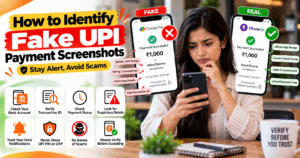
How to Identify Fake UPI Payment Screenshots
With the growing use of digital payments in India, fake UPI payment screenshots have become a concern for shopkeepers, small business owners, and online sellers. Scammers may show edited screenshots or fake payment confirmations to make people believe that money has been transferred when it has not.
Relying only on a screenshot can lead to financial losses. In this guide, you’ll learn how to identify suspicious UPI payment screenshots and protect yourself from payment fraud.
🔍 1. Always Check Your Bank Account
Never hand over products or complete an order based only on a payment screenshot. Open your official banking app or UPI app and check your transaction history to confirm that the money has actually been credited.
🧾 2. Verify the Transaction ID
A UPI transaction usually has a transaction reference number that can help identify the payment. Compare the available details with your bank statement or official transaction records.
Remember, a transaction ID displayed in a screenshot is not proof that the payment was successful.
⏳ 3. Check the Payment Status
Fake or misleading screenshots may show a payment as successful when it is actually pending, processing, or failed.
Always check the actual transaction status through your official UPI app or bank account before accepting the payment.
📱 4. Look for Suspicious Details
Watch for unusual fonts, spelling mistakes, inconsistent formatting, or mismatched transaction details. These may indicate that a screenshot has been edited.
However, some fake screenshots can look very realistic, so visual inspection alone is not enough to confirm a payment.
🔔 5. Trust Your Own Payment Notifications
A payment confirmation displayed on someone else’s phone does not prove that money has reached your account. Check your own bank notifications and transaction history instead.
For businesses that receive frequent payments, an official payment gateway or merchant app can make transaction verification easier.
🛡️ 6. Never Share Your UPI PIN or OTP
You do not need to share your UPI PIN or OTP with anyone to receive money. Never disclose your banking passwords, PINs, or verification codes.
Before approving an unfamiliar payment request, carefully check what the request is asking you to do.
🚨 What to Do If You Suspect UPI Fraud
If you discover that you have been tricked by a fake payment screenshot, preserve relevant evidence, including messages, transaction details, and the screenshot. Contact your bank or UPI service provider immediately.
In India, you can report financial cyber fraud by calling 1930 or submitting a complaint through the official National Cyber Crime Reporting Portal at cybercrime.gov.in.
✅ Conclusion
The safest way to identify fake UPI payment screenshots is to verify every payment through your own bank account or official UPI app. Never treat a screenshot as final proof of payment.
Remember: Verify the money received, not just the screenshot shown. This simple habit can help protect your business, customers, and finances from digital payment scams.
How to Identify Fake UPI Payment Screenshots
आजकल online payments के बढ़ते इस्तेमाल के साथ fake UPI payment screenshots के जरिए धोखाधड़ी के मामले भी सामने आते हैं। कई बार scammers नकली payment confirmation या edited screenshot दिखाकर दुकानदारों, small business owners और online sellers को विश्वास दिलाने की कोशिश करते हैं कि payment हो चुका है।
ऐसी स्थिति में केवल screenshot देखकर payment confirm करना सही नहीं है। इस guide में हम जानेंगे कि fake UPI payment screenshots को कैसे पहचानें और अपने पैसे को सुरक्षित कैसे रखें।
🔍 1. Always Check Your Bank Account
Payment screenshot देखकर सामान देने या order complete करने की जल्दबाजी न करें। अपने bank account या official UPI app में transaction history check करें और confirm करें कि पैसे वास्तव में credit हुए हैं।
🧾 2. Verify the Transaction ID
हर successful UPI transaction का एक transaction reference number होता है। Screenshot में दिखाई गई details को अपने bank statement या official payment records से verify करें। केवल screenshot पर मौजूद transaction ID को proof न मानें।
⏳ 3. Check the Payment Status
Fake screenshots में payment status को गलत तरीके से दिखाया जा सकता है। Payment pending, processing या failed भी हो सकता है। इसलिए अपने official UPI app या bank account में actual transaction status जरूर check करें।
📱 4. Look for Suspicious Details
Screenshot में गलत spelling, inconsistent formatting, unusual fonts या mismatched transaction details जैसे संकेत हो सकते हैं। हालांकि, अच्छी तरह edited screenshot में ये गलतियाँ दिखाई नहीं भी दे सकतीं, इसलिए केवल appearance पर भरोसा न करें।
🔔 5. Trust Your Own Payment Notifications
किसी दूसरे व्यक्ति के phone पर payment successful दिखाई देना इस बात का प्रमाण नहीं है कि आपके account में पैसे आ गए हैं। अपने bank के official notifications और transaction history को प्राथमिकता दें।
🛡️ 6. Never Share Your UPI PIN or OTP
पैसे receive करने के लिए आपको अपना UPI PIN या OTP किसी दूसरे व्यक्ति को बताने की जरूरत नहीं होती। अपना PIN, OTP या banking password किसी के साथ share न करें और अनजान payment requests को approve करने से पहले ध्यान से जाँच करें।
🚨 What to Do If You Suspect UPI Fraud?
अगर आपको fake payment screenshot के जरिए धोखा दिया गया है, तो transaction records और उपलब्ध evidence सुरक्षित रखें। तुरंत अपने bank या UPI service provider से संपर्क करें। भारत में financial cyber fraud की शिकायत के लिए 1930 पर call करें या cybercrime.gov.in पर complaint दर्ज करें।
✅ Conclusion
Fake UPI payment screenshots से बचने का सबसे सुरक्षित तरीका है कि किसी भी screenshot को payment का अंतिम proof न मानें। सामान देने, order complete करने या service प्रदान करने से पहले अपने bank account या official UPI app में payment verify करें।
याद रखें: Screenshot नहीं, अपने account में actual payment credit होने की पुष्टि करें।