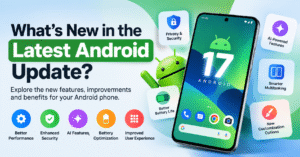
📱 What’s New in the Latest Android Update? Explore the Features, Improvements, and Benefits
Android continues to evolve with regular software updates that aim to make smartphones more secure, convenient, and enjoyable to use. Every new update can bring improvements to the user interface, privacy settings, system performance, battery management, and everyday mobile features. Depending on the Android version and smartphone manufacturer, users may also receive new customization options, smarter tools, and improvements to the way their favorite apps work.
Whether you use your phone for work, entertainment, online shopping, gaming, or staying connected with friends and family, keeping your device updated can help you get the most out of it. In this guide, we will explore the important things to know about the latest Android updates, the benefits they can offer, and how to check whether your smartphone is ready for a new software version.
🚀 1. Improved Performance and a Smoother Smartphone Experience
One of the main reasons Android receives regular updates is to improve the overall smartphone experience. Software refinements can help system animations feel smoother, improve the responsiveness of certain functions, and fix issues that affect everyday usage. These changes may be particularly noticeable when opening applications, switching between tasks, navigating system menus, or using built-in smartphone features.
Performance improvements do not necessarily mean that every phone will become significantly faster after an update. The actual experience depends on factors such as the device’s processor, available storage, RAM, battery condition, and the applications installed on it. However, system updates can address software bugs and compatibility issues that sometimes cause unexpected slowdowns.
For users who depend on their phones throughout the day, even small improvements can make daily activities feel more convenient. A stable operating system also helps applications work more reliably when they are compatible with the installed software version.
🔒 2. Better Security and Privacy Protection
Smartphone security is an important part of the Android update experience. Phones contain personal photographs, messages, contacts, financial information, work documents, and other sensitive data. Regular security updates help address known vulnerabilities and reduce the risk of certain types of attacks.
Android also provides privacy controls that allow users to review app permissions and decide which applications can access features such as the camera, microphone, contacts, and location. Depending on the Android version, users may have access to additional permission controls and privacy indicators that help them understand when sensitive features are being used.
Keeping your device updated is a useful security habit, but it should be combined with other precautions. Download applications from trusted sources, use a secure screen lock, avoid suspicious links, and review permissions before granting access to personal information.
Security support varies by manufacturer and model, so it is worth checking how long your particular smartphone will receive software and security updates.
🤖 3. Smarter Features and AI-Powered Tools
Artificial intelligence is becoming an increasingly important part of the smartphone experience. Depending on the device, region, software version, and supported applications, Android users may have access to AI-powered writing assistance, image editing, voice interactions, information summaries, and other helpful tools.
These features can make certain everyday tasks easier. For example, writing assistance may help refine a message, image tools may offer creative editing options, and voice-based features can make it more convenient to interact with supported services. Some devices also offer AI-powered search and contextual assistance that can help users find information more efficiently.
It is important to understand that AI features are not included in every Android update and may not be available on every smartphone. Some tools require compatible hardware, an eligible account, an internet connection, or a separate application update.
Before expecting a particular AI feature on your device, check the official information for your phone model. This will help you distinguish between features included in the Android operating system and those provided separately by the manufacturer or an individual app.
🎨 4. User Interface Changes and Customization Options
Android is known for offering a range of customization options, allowing users to personalize their smartphones according to their preferences. Depending on the version and manufacturer, software updates may introduce refinements to system menus, notifications, Quick Settings, lock-screen elements, icons, and visual effects.
Customization options can make a phone feel more personal and easier to navigate. Users may be able to adjust wallpapers, colors, widgets, display settings, and home-screen layouts. Some manufacturers also provide additional themes and interface features through their own software.
However, visual changes can differ considerably between devices. A Google Pixel smartphone may use a different interface from a Samsung Galaxy, OnePlus, Xiaomi, Vivo, or OPPO device, even when the phones run the same major Android version.
This is why the latest Android update may look different depending on which smartphone you use. Manufacturers often combine Android system changes with their own interface updates, creating a slightly different experience for each device.
📲 5. Improved Multitasking and Everyday Convenience
Modern smartphones are used for several activities at once. People may respond to messages while browsing the internet, attend online meetings while checking documents, or switch between navigation, email, and productivity applications throughout the day.
Android updates can improve aspects of multitasking and system navigation, depending on the device and release. Supported phones and tablets may offer features such as split-screen applications, floating windows, app shortcuts, or other tools that help users manage multiple tasks.
These features can be especially useful for students, professionals, business owners, and anyone who regularly works with several applications. Instead of repeatedly opening and closing apps, users can take advantage of supported multitasking tools to organize their workflow.
Not every multitasking feature is available on every phone. Screen size, manufacturer software, and Android version can affect which options are supported. Checking your device’s settings is the easiest way to discover the features available to you.
🔋 6. Battery Efficiency and System Stability
Battery life is one of the most important considerations for smartphone users. Android updates may include refinements to background activity management, system processes, and application compatibility that can influence power consumption.
When software works efficiently, a device may handle everyday tasks with fewer unnecessary interruptions. Updates can also fix certain bugs that cause excessive battery drain or unexpected application behavior. However, a software update does not guarantee longer battery life because battery performance depends on many factors, including screen brightness, network strength, gaming activity, background applications, and battery health.
It is also normal for a phone to use additional resources temporarily after a major update while applications and system components complete background optimization. If battery consumption remains unusually high, review your battery usage settings and check whether a particular application is responsible.
For better battery management, use automatic brightness where appropriate, remove unnecessary background activity, and install application updates from trusted sources.
🛡️ 7. More Reliable Apps and Compatibility Improvements
Android smartphones support a wide variety of applications, from communication and productivity tools to entertainment, education, and business software. For these applications to work reliably, the operating system and app developers must maintain compatibility as software evolves.
System updates may include fixes for application crashes, connectivity problems, unexpected errors, and other issues. They can also introduce changes that developers use to support newer Android capabilities.
Keeping both your operating system and applications updated can reduce certain compatibility problems. However, some older applications may no longer receive support, while newer features may require a more recent Android version.
If an application starts behaving unexpectedly after an update, try checking for a newer version of the app, restarting the phone, or reviewing the application’s support information before considering more drastic troubleshooting steps.
🌐 8. Connectivity and Device Integration
Smartphones increasingly work as part of a connected digital environment. Users rely on Wi-Fi, Bluetooth, mobile networks, wireless accessories, smartwatches, headphones, cars, and other compatible devices.
Depending on the update, Android software improvements may address connectivity stability, accessory compatibility, or how supported devices communicate with one another. These changes can help make everyday activities such as listening to music, transferring files, connecting accessories, and using compatible connected services more convenient.
Connectivity improvements are not guaranteed in every release. If you experience problems after updating, confirm that your accessories are compatible, restart the relevant devices, and check whether updated firmware or application software is available.
🧰 9. How to Check for the Latest Android Update
Checking for a software update is a straightforward process. The exact menu names may differ depending on your smartphone manufacturer and the installed Android version.
Follow these general steps:
- Open the Settings application on your smartphone.
- Look for System, Software Update, or Software Information, depending on your device.
- Open the available software update section.
- Tap the option to check for updates, if available.
- If an update is offered, review the version details and installation instructions.
- Connect to a reliable Wi-Fi network and make sure your phone has sufficient battery power before installing the update.
Before a major software upgrade, it is sensible to back up important photographs, documents, contacts, and other personal information. Keep in mind that an update may not appear immediately on every device because manufacturers and mobile carriers can release updates in stages.
If your phone reports that it is up to date, that does not necessarily mean it has the newest Android version available across all devices. Your particular model may have a different update schedule or a limited period of software support.
⚙️ 10. What to Do Before Installing a Major Update
A little preparation can make the update process easier. First, check that you have enough free storage space, since larger updates may require additional temporary space during installation.
Next, back up your important data and make sure you know the password or recovery details for your main accounts. Connect to a stable Wi-Fi network if possible, and avoid interrupting the installation once it begins.
It is also helpful to read the update description before installing it. The release notes may explain whether the update focuses on security fixes, bug corrections, new features, or a major operating system upgrade.
After installation, allow your device some time to complete background tasks. If something does not work as expected, restart the phone and check for additional application updates. Avoid downloading unofficial system files from unfamiliar websites, as these can introduce security risks or cause device problems.
📌 11. Is the Latest Android Update Worth Installing?
For most users, installing official updates is a sensible way to maintain device security and receive supported improvements. Security patches are particularly important because they can address vulnerabilities that may put personal information at risk.
Major Android upgrades can also offer new features and interface changes, but the benefits will depend on your phone model and how you use it. Some users may notice useful new tools, while others may mainly benefit from stability improvements and security fixes.
Before installing an update, review the official release notes for your device and ensure you have a recent backup. If your phone is essential for work, you may also want to check whether any important applications have known compatibility issues with the new version.
The best approach is to use official updates provided for your specific model rather than relying on general claims about features that may not apply to your phone.
❓ Frequently Asked Questions About Android Updates
📱 Does every Android phone receive the same update?
No. Update availability depends on the smartphone manufacturer, model, region, carrier, and software support policy. Different brands may also introduce their own interface changes and additional features.
🔐 Do Android updates improve phone security?
Official security updates can address known vulnerabilities and strengthen protection against certain threats. Users should also maintain strong account security, review app permissions, and avoid suspicious downloads.
🔋 Will a new Android update improve battery life?
It may help if the update includes relevant power-management improvements or fixes a battery-draining bug. Actual battery life depends on your device, battery condition, settings, and usage habits.
🚀 Can I install the latest Android version manually?
Some devices support manufacturer-provided installation methods, but compatibility and installation requirements vary. Using unofficial firmware can cause data loss, software problems, or security risks, so follow your manufacturer’s official instructions.
🗓️ How often should I check for updates?
You can check periodically through your phone’s settings and install official security updates when they become available. You do not need to check repeatedly throughout the day.
✅ Final Thoughts
The latest Android update is about more than adding new features. Depending on your smartphone, it may improve security, refine system performance, introduce useful customization options, enhance compatibility, and make everyday tasks more convenient.
To get the best experience, keep your device and applications updated, review the available release notes, back up important data before major upgrades, and use the official update method recommended for your phone.
Because Android features vary by model and software release, always verify the details for your specific device before assuming that a particular feature is available. Staying informed about supported updates is a practical way to keep your smartphone secure, reliable, and ready for everyday use.
📱 What’s New in the Latest Android Update? जानिए नए Features और Updates के बारे में
आज के समय में Smartphone हमारी daily life का एक important हिस्सा बन चुका है। चाहे online काम करना हो, social media चलाना हो, gaming करनी हो या अपने दोस्तों और family से जुड़े रहना हो, Android phone हर काम को आसान बनाता है। Google समय-समय पर Android के नए updates जारी करता है, जिनका उद्देश्य smartphone को ज्यादा secure, smooth और user-friendly बनाना होता है।
Latest Android Update में आपके phone के हिसाब से नए features, बेहतर security, privacy controls, performance improvements और system bug fixes मिल सकते हैं। कुछ smartphones में AI-powered tools और customization options भी देखने को मिलते हैं। हालांकि, सभी features हर Android phone में available नहीं होते, क्योंकि इनकी availability आपके phone के model, Android version और brand पर निर्भर करती है।
इस ब्लॉग में हम जानेंगे कि Android के नए updates में क्या बदलाव देखने को मिल सकते हैं, इनसे users को क्या फायदे मिलते हैं और अपने smartphone को update करने से पहले किन बातों का ध्यान रखना चाहिए।
🚀 1. Better Performance और Smooth User Experience
Android updates का एक main purpose smartphone की performance और overall user experience को बेहतर बनाना है। Software improvements की मदद से phone के कुछ functions ज्यादा responsive हो सकते हैं और system में आने वाली छोटी-मोटी problems को fix किया जा सकता है।
जब आप एक app से दूसरी app पर switch करते हैं, phone की settings open करते हैं या रोजमर्रा के काम करते हैं, तो system improvements आपके experience को ज्यादा smooth बना सकते हैं। इसके अलावा, कुछ updates में bugs fix किए जाते हैं, जिससे unexpected app crashes और software-related issues कम हो सकते हैं।
हालांकि, update install करने के बाद हर smartphone की speed बढ़ना जरूरी नहीं है। Phone की performance उसके processor, RAM, storage और battery condition पर भी depend करती है। फिर भी, अपने device को updated रखना बेहतर performance और system stability के लिए एक अच्छी आदत है।
🔒 2. Enhanced Security और Privacy Protection
आजकल smartphone में हमारी personal photos, contacts, messages, emails और कई जरूरी documents मौजूद होते हैं। इसलिए phone की security और privacy का ध्यान रखना बहुत जरूरी है।
Android के official security updates में कई बार ऐसे fixes शामिल होते हैं, जो known security vulnerabilities को दूर करने में मदद करते हैं। इससे आपके device को कुछ digital threats से सुरक्षित रखने में सहायता मिलती है।
इसके अलावा, Android में app permissions को manage करने की सुविधा भी मिलती है। आप देख सकते हैं कि कौन-सी application आपके camera, microphone, contacts या location का access इस्तेमाल कर सकती है। अपने phone की privacy settings को समय-समय पर check करना आपकी personal information की सुरक्षा के लिए फायदेमंद हो सकता है।
ध्यान रखें कि केवल software update करना ही पर्याप्त नहीं है। आपको unknown links पर click करने से बचना चाहिए, trusted sources से ही apps install करनी चाहिए और अपने phone में screen lock जरूर रखना चाहिए।
🤖 3. AI Features और Smart Tools
Artificial Intelligence यानी AI आज smartphone technology का एक important हिस्सा बनता जा रहा है। Compatible Android devices में AI-powered tools users को कई daily tasks आसान बनाने में मदद कर सकते हैं।
उदाहरण के लिए, कुछ smartphones में AI writing assistance, photo editing tools, voice-based assistance, smart search और text summarization जैसी सुविधाएं मिल सकती हैं। इनकी मदद से आप messages लिखने, photos edit करने या information search करने जैसे काम ज्यादा आसानी से कर सकते हैं।
हालांकि, यह जरूरी नहीं है कि हर नया Android update आपके phone में सभी AI features लेकर आए। कुछ सुविधाएं केवल selected smartphone models में उपलब्ध होती हैं, जबकि कुछ के लिए compatible apps, internet connection या अलग software updates की जरूरत पड़ सकती है।
इसलिए किसी भी नए AI feature का इस्तेमाल करने से पहले अपने smartphone brand की official website या update details को check करना बेहतर रहेगा।
🎨 4. New UI Changes और Customization Options
Android की एक खास बात यह है कि इसमें users को अपने smartphone को personal style के अनुसार customize करने के कई options मिलते हैं। अलग-अलग Android versions और smartphone brands के अनुसार interface में नए बदलाव या improvements देखने को मिल सकते हैं।
इन बदलावों में Quick Settings, notification panel, home screen, widgets, icons और lock screen से जुड़े improvements शामिल हो सकते हैं। कुछ devices में wallpaper, themes और system colors को customize करने के अतिरिक्त options भी दिए जाते हैं।
Customization की मदद से आप अपने phone को अपनी जरूरत और पसंद के अनुसार set कर सकते हैं। अगर आप अपने smartphone को clean और simple look देना चाहते हैं, तो supported settings के जरिए home screen और display को अपने हिसाब से arrange कर सकते हैं।
ध्यान देने वाली बात यह है कि Samsung, OnePlus, Vivo, OPPO, Xiaomi और Google Pixel जैसे brands का interface एक-दूसरे से अलग हो सकता है। इसलिए एक ही Android version होने के बावजूद हर smartphone में बिल्कुल एक जैसे visual changes देखने को नहीं मिलते।
📲 5. Better Multitasking और Daily Tasks में आसानी
आजकल smartphone का इस्तेमाल सिर्फ calling और messaging तक सीमित नहीं है। लोग अपने phone पर online meetings attend करते हैं, emails check करते हैं, documents पढ़ते हैं, videos देखते हैं और कई applications को एक साथ इस्तेमाल करते हैं।
Android में उपलब्ध multitasking features users को अलग-अलग apps के बीच आसानी से switch करने में मदद करते हैं। Supported devices में split-screen mode, floating windows और app shortcuts जैसे options मिल सकते हैं, जिनसे एक साथ कई tasks manage करना आसान हो जाता है।
उदाहरण के लिए, आप एक तरफ document पढ़ सकते हैं और दूसरी तरफ notes बना सकते हैं, अगर आपका device इन features को support करता है। इसी तरह, कुछ smartphones में floating windows की मदद से supported apps को screen पर छोटा करके इस्तेमाल किया जा सकता है।
हालांकि, ये सुविधाएं हर smartphone में available नहीं होतीं। इनकी availability आपके device के hardware, screen size और manufacturer के software पर निर्भर करती है।
🔋 6. Battery Optimization और System Stability
Smartphone users के लिए battery life एक important factor है। कोई भी user नहीं चाहता कि जरूरी काम के बीच phone की battery जल्दी खत्म हो जाए।
Android updates में कभी-कभी background processes, power management और system stability से जुड़े improvements शामिल होते हैं। यदि किसी software bug के कारण battery ज्यादा खर्च हो रही हो, तो संबंधित update उस problem को fix करने में मदद कर सकता है।
हालांकि, हर update से battery backup बढ़ने की guarantee नहीं होती। Battery performance screen brightness, mobile network, gaming, background applications और battery की actual condition जैसे कई factors पर निर्भर करती है।
अगर update install करने के बाद कुछ समय तक battery ज्यादा इस्तेमाल होती हुई दिखाई दे, तो phone को system optimization पूरा करने के लिए थोड़ा समय दें। अगर समस्या लगातार बनी रहती है, तो Settings में जाकर Battery Usage check करें और देखें कि कौन-सी application ज्यादा battery consume कर रही है।
🛡️ 7. App Compatibility और Bug Fixes
Smartphone में कई applications install होती हैं, जैसे WhatsApp, social media apps, banking apps, shopping apps और productivity tools। इन सभी applications का सही तरीके से काम करना एक अच्छे user experience के लिए जरूरी है।
Android updates में कई बार software bugs, compatibility issues और system errors को fix किया जाता है। इससे supported applications को बेहतर तरीके से चलाने में मदद मिल सकती है।
इसके अलावा, app developers भी समय-समय पर अपने applications के updates जारी करते हैं। इसलिए smartphone के operating system के साथ-साथ apps को भी updated रखना उपयोगी होता है।
अगर किसी update के बाद कोई application सही तरीके से काम नहीं कर रही है, तो सबसे पहले उसका नया version check करें। जरूरत पड़ने पर phone restart करें और app की official support information देखें।
🌐 8. Connectivity और Connected Devices में Improvements
आजकल smartphones का इस्तेमाल कई दूसरे devices के साथ भी किया जाता है। Bluetooth headphones, smartwatches, wireless speakers, cars और दूसरे compatible gadgets हमारे daily routine का हिस्सा बन चुके हैं।
Android software updates में कभी-कभी connectivity, accessory compatibility और system reliability से जुड़े fixes शामिल होते हैं। इन improvements से supported devices को connect करने और उनका इस्तेमाल करने का experience बेहतर हो सकता है।
फिर भी, हर connectivity problem का solution software update नहीं होता। अगर Bluetooth या Wi-Fi में समस्या आ रही है, तो पहले अपने phone और connected device को restart करके देखें। इसके साथ ही, accessory की compatibility और उपलब्ध firmware updates को भी check करें।
⚙️ 9. अपने Android Phone को Update कैसे करें?
अगर आप जानना चाहते हैं कि आपके smartphone के लिए कोई नया Android update available है या नहीं, तो नीचे दिए गए आसान steps follow कर सकते हैं।
Update check करने का तरीका:
- अपने smartphone में Settings open करें।
- अपने phone के अनुसार System Update, Software Update या इसी तरह का option खोजें।
- उपलब्ध होने पर Check for Updates पर tap करें।
- अगर कोई नया update दिखाई देता है, तो उसकी details और version information पढ़ें।
- Update install करने से पहले जरूरी data का backup ले लें।
- Phone की battery पर्याप्त रखें और संभव हो तो stable Wi-Fi connection का इस्तेमाल करें।
- Screen पर दिए गए instructions follow करके installation पूरा करें।
ध्यान रखें कि अलग-अलग smartphone brands में settings के नाम और update करने का तरीका थोड़ा अलग हो सकता है। कुछ phones में updates चरणबद्ध तरीके से जारी किए जाते हैं, इसलिए नया version सभी users तक एक ही समय पर नहीं पहुंचता।
📋 10. Android Update Install करने से पहले किन बातों का ध्यान रखें?
किसी बड़े software update को install करने से पहले थोड़ी तैयारी करना आपके लिए फायदेमंद हो सकता है। सबसे पहले phone में पर्याप्त storage space check करें, क्योंकि कुछ updates को installation के दौरान अतिरिक्त जगह की जरूरत होती है।
इसके बाद अपने जरूरी photos, contacts, documents और दूसरे important data का backup बना लें। यह एक अच्छा precaution है, खासकर तब जब आप major Android version upgrade करने जा रहे हों।
Update की release notes को भी ध्यान से पढ़ें। इनमें बताया जा सकता है कि update में security patches, bug fixes, performance improvements या नए features शामिल हैं।
Installation शुरू होने के बाद उसे बीच में interrupt करने से बचें। Update पूरा होने पर phone को कुछ समय दें, ताकि system background tasks को पूरा कर सके।
💡 11. क्या Latest Android Update Install करना जरूरी है?
अधिकांश users के लिए अपने smartphone में उपलब्ध official updates install करना एक अच्छा निर्णय होता है। खासकर security updates आपके phone को known vulnerabilities से सुरक्षित रखने में महत्वपूर्ण भूमिका निभा सकते हैं।
Major Android updates में नए features, interface changes और system improvements भी शामिल हो सकते हैं। हालांकि, इनका वास्तविक फायदा आपके phone के model और software support पर निर्भर करता है।
Update install करने से पहले official release details जरूर check करें। अगर आपका smartphone काम के लिए बहुत जरूरी है, तो major upgrade से पहले यह भी देख लें कि आपके जरूरी apps नए version के साथ compatible हैं या नहीं।
हमेशा अपने device के लिए जारी किए गए official software updates का ही इस्तेमाल करें। Unofficial firmware install करने से data loss, software problems और security risks हो सकते हैं।
❓ Android Update से जुड़े कुछ सामान्य सवाल
📱 क्या सभी Android Phones में एक जैसे Features मिलते हैं?
नहीं, सभी Android phones में एक जैसे features मिलना जरूरी नहीं है। Update की availability smartphone brand, model, region और software support policy पर निर्भर करती है।
🔐 क्या Android Update से Phone ज्यादा Secure होता है?
Official security updates known vulnerabilities को fix करने में मदद करते हैं। हालांकि, बेहतर सुरक्षा के लिए strong screen lock, सुरक्षित browsing और trusted apps का इस्तेमाल भी जरूरी है।
🔋 क्या नया Update Battery Backup बढ़ा सकता है?
कुछ updates battery management से जुड़ी समस्याओं को ठीक कर सकते हैं। लेकिन battery backup phone की condition, settings और usage पर भी निर्भर करता है।
🚀 Android Update आने पर कैसे पता चलेगा?
आप अपने smartphone की Settings में जाकर Software Update या System Update section check कर सकते हैं। अगर आपके device के लिए नया update जारी हुआ है और उपलब्ध है, तो वहां इसकी जानकारी दिखाई दे सकती है।
🗓️ क्या पुराने Smartphone में भी नया Android Version मिल सकता है?
यह आपके smartphone के model और manufacturer की update policy पर निर्भर करता है। कुछ पुराने phones को security updates मिलते रह सकते हैं, जबकि major Android version upgrades उपलब्ध नहीं होते।
✅ Conclusion: Android Updates से अपने Smartphone को बेहतर बनाएं
Android के नए updates smartphone experience को बेहतर बनाने में महत्वपूर्ण भूमिका निभाते हैं। इनमें security improvements, bug fixes, बेहतर system stability, customization options और कुछ devices में नए smart features शामिल हो सकते हैं।
अगर आप अपने phone को सुरक्षित और reliable बनाए रखना चाहते हैं, तो समय-समय पर software updates check करें, जरूरी data का backup रखें और official release information को ध्यान से पढ़ें।
याद रखें कि हर Android update में एक जैसे features नहीं होते। अपने smartphone के लिए सही जानकारी पाने के लिए उसके model और Android version को check करना सबसे अच्छा तरीका है। सही जानकारी और नियमित maintenance की मदद से आप अपने smartphone का बेहतर इस्तेमाल कर सकते हैं।