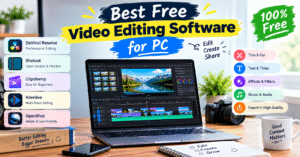
Best Free Video Editing Software for PC 🎬
Video editing is an important part of creating YouTube videos, reels, tutorials, and professional content. The good news is that you don’t need expensive software to get started. Several free video editing tools offer useful features for beginners and experienced editors.
🎥 1. DaVinci Resolve
DaVinci Resolve is a powerful video editor with professional tools for video editing, color correction, visual effects, and audio editing. It is a great choice for creators who want high-quality results.
✂️ 2. Shotcut
Shotcut is a free, open-source video editing software for PC. It supports multiple video formats, filters, transitions, and 4K editing, making it useful for everyday editing projects.
💻 3. Clipchamp
Clipchamp is beginner-friendly and offers an easy editing interface. You can create videos using templates, add text and transitions, and export videos in up to 1080p with its free plan.
🎞️ 4. Kdenlive
Kdenlive is a free video editor with multi-track editing, titles, effects, and audio tools. It is suitable for users who want more control over their video projects.
🚀 5. OpenShot
OpenShot is a simple video editing tool for beginners. Its drag-and-drop interface makes it easy to trim clips, add transitions, insert titles, and create basic videos.
✅ Which Video Editor Should You Choose?
- For professional editing: DaVinci Resolve
- For simple editing: Shotcut
- For beginners: Clipchamp
- For multi-track editing: Kdenlive
- For basic video projects: OpenShot
📝 Conclusion
Choosing the best free video editing software for PC depends on your needs and experience. Beginners can start with Clipchamp or OpenShot, while users looking for advanced features can try DaVinci Resolve. Compare the features and system requirements before installing any software.
Best Free Video Editing Software for PC 🎬
Video editing आज के digital world में बहुत ज़रूरी हो गई है। YouTube videos, Instagram Reels और professional content बनाने के लिए एक अच्छे video editor की आवश्यकता होती है। अच्छी बात यह है कि आप बिना पैसे खर्च किए भी अपने videos को attractive और professional बना सकते हैं।
🎥 1. DaVinci Resolve
DaVinci Resolve एक powerful video editing software है, जिसमें professional editing, color correction और visual effects जैसे features मिलते हैं। अगर आप high-quality videos बनाना चाहते हैं, तो यह आपके लिए एक बेहतरीन विकल्प है।
✂️ 2. Shotcut
Shotcut एक free और open-source video editor है। इसमें filters, transitions और अलग-अलग video formats का support मिलता है। यह उन users के लिए उपयोगी है जो बिना पैसे खर्च किए अपनी video editing skills को बेहतर बनाना चाहते हैं।
💻 3. Clipchamp
Clipchamp beginners के लिए एक आसान video editing tool है। इसकी मदद से आप videos में text, transitions और templates जोड़ सकते हैं। इसके free plan में 1080p video export का विकल्प भी मिलता है, जिससे आप अच्छी quality में videos तैयार कर सकते हैं।
🎞️ 4. Kdenlive
Kdenlive एक free video editor है, जिसमें multi-track editing, titles, effects और audio tools मिलते हैं। अगर आप YouTube videos, tutorials या educational content बनाते हैं, तो यह software आपके काम को आसान बना सकता है।
🚀 5. OpenShot
OpenShot शुरुआती users के लिए एक सरल और उपयोगी video editor है। इसके drag-and-drop feature से आप video clips को trim कर सकते हैं, transitions लगा सकते हैं और आकर्षक titles जोड़ सकते हैं। Video editing सीखने वालों के लिए यह एक अच्छा विकल्प है।
✅ Which Video Editor Should You Choose?
- DaVinci Resolve: Professional editing के लिए
- Shotcut: आसान और free editing के लिए
- Clipchamp: Beginners के लिए
- Kdenlive: Advanced editing features के लिए
- OpenShot: Basic video projects बनाने के लिए
📝 Conclusion
Choosing the best free video editing software आपकी ज़रूरत और experience पर निर्भर करता है। अगर आप beginner हैं, तो Clipchamp या OpenShot से शुरुआत कर सकते हैं। वहीं, professional editing के लिए DaVinci Resolve एक अच्छा विकल्प है।