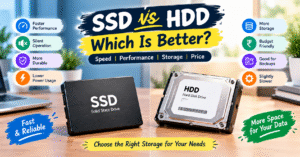
SSD vs HDD: Which Is Better? 💻
Choosing the right storage device can make a significant difference in your computer’s speed and performance. SSDs and HDDs are two common storage options, but they differ in speed, cost, durability, and storage technology. Understanding these differences can help you choose the best option for your needs.
💾 1. What Is an SSD?
SSD stands for Solid State Drive. It uses flash memory to store data and has no moving mechanical parts.
SSDs provide fast boot times, quick application loading, and faster file transfers. They can also make an older computer feel more responsive. An SSD is an excellent choice for users who want better performance for everyday tasks, gaming, and professional work.
🖥️ 2. What Is an HDD?
HDD stands for Hard Disk Drive. It stores data on rotating magnetic disks and uses mechanical components to read and write information.
HDDs are generally more affordable than SSDs when comparing storage capacity. They are useful for storing large collections of photos, videos, documents, and backups without spending too much money.
⚡ 3. SSD vs HDD: Main Differences
| Feature | SSD | HDD |
|---|---|---|
| Speed | Much faster | Comparatively slower |
| Cost | Generally more expensive | Generally more affordable |
| Durability | No moving mechanical parts | Contains moving parts |
| Noise | Silent operation | May produce mechanical noise |
| Power Consumption | Usually lower | Usually higher |
| Best Use | Speed and performance | Affordable, large-capacity storage |
🚀 4. Advantages of SSD
- Faster Performance: Computers start quickly, and applications load in less time.
- Quick File Transfers: Files can be transferred faster, depending on the SSD type and connection.
- Silent Operation: SSDs operate without the noise of spinning disks.
- Better Shock Resistance: The absence of moving parts reduces the risk of mechanical damage from physical shocks.
- Improved Responsiveness: Everyday tasks, multitasking, and software usage can feel smoother.
📁 5. Advantages of HDD
- Affordable Storage: HDDs generally offer more storage capacity for the price.
- Large File Storage: They are useful for storing videos, photos, documents, and other large files.
- Backup Solution: HDDs can provide an economical option for keeping additional copies of important data.
- Budget-Friendly Choice: They are suitable for users who need plenty of storage without a high initial cost.
🤔 6. Which Is Better: SSD or HDD?
An SSD is the better choice for speed and performance. It is ideal for operating systems, applications, gaming, and everyday computer use.
An HDD is a practical choice for affordable, high-capacity storage. It works well for large media collections, archives, and additional storage needs.
You can also use both devices together. Install your operating system and frequently used applications on an SSD, then store large files and backups on an HDD. This combination offers a useful balance between speed and storage capacity.
📝 Conclusion
Both SSDs and HDDs play an important role in computer storage, but each serves different needs. SSDs deliver faster performance and quieter operation, while HDDs provide affordable storage for large amounts of data.
If your laptop or desktop computer feels slow and still uses an HDD, upgrading to an SSD can noticeably improve startup times and application loading. Before upgrading, check your computer’s storage compatibility and back up your important files.
SSD vs HDD: Which Is Better? 💻
आज के समय में computer और laptop की speed अच्छी होना बहुत ज़रूरी है। जब हम नया laptop खरीदते हैं या पुराने computer को upgrade करते हैं, तो SSD और HDD के बीच सही चुनाव करना थोड़ा मुश्किल हो जाता है। दोनों का इस्तेमाल data store करने के लिए किया जाता है, लेकिन इनकी speed, storage और performance में काफी अंतर होता है। आइए जानते हैं कि आपके लिए कौन-सा option बेहतर रहेगा।
💾 1. What Is an SSD?
SSD का पूरा नाम Solid State Drive है। यह एक modern storage device है, जिसमें data को flash memory में store किया जाता है। इसमें moving mechanical parts नहीं होते, इसलिए यह काफी तेज़ी से काम करता है।
SSD लगाने से computer जल्दी start होता है, software तेजी से open होते हैं और files transfer करने में कम समय लगता है। अगर आपका laptop slow चल रहा है, तो SSD upgrade करना उसकी performance बेहतर बनाने का एक अच्छा तरीका हो सकता है।
🖥️ 2. What Is an HDD?
HDD का पूरा नाम Hard Disk Drive है। यह data store करने के लिए rotating disks और mechanical parts का इस्तेमाल करता है।
HDD की कीमत आमतौर पर कम होती है और इसमें कम budget में अधिक storage मिल सकती है। अगर आपको photos, videos, documents और बड़ी files store करनी हैं, तो HDD आपके लिए एक अच्छा विकल्प हो सकता है।
⚡ 3. SSD vs HDD: Main Differences
| Feature | SSD | HDD |
|---|---|---|
| Speed | बहुत तेज़ | तुलनात्मक रूप से धीमा |
| Price | थोड़ा महँगा | आमतौर पर सस्ता |
| Performance | बेहतर speed | सामान्य speed |
| Noise | बिना आवाज़ के काम करता है | आवाज़ आ सकती है |
| Durability | Mechanical parts नहीं होते | Mechanical parts होते हैं |
| Best Use | Fast performance | अधिक storage |
🚀 4. Advantages of SSD
- Fast Speed: Computer जल्दी start होता है और applications तेजी से open होती हैं।
- Better Performance: रोज़मर्रा के काम आसानी से और कम समय में पूरे हो सकते हैं।
- Silent Operation: SSD बिना आवाज़ किए काम करता है।
- Quick File Transfer: बड़ी files transfer करने में कम समय लग सकता है।
- Better Portability: Laptop में इस्तेमाल होने वाला SSD बिना moving parts के काम करता है, जिससे mechanical damage का जोखिम कम होता है।
📁 5. Advantages of HDD
- Low Cost: कम कीमत में अधिक storage मिल सकती है।
- Large Storage: Photos, videos और documents जैसी बड़ी files store करने के लिए उपयोगी है।
- Backup Storage: Important files का backup रखने के लिए HDD एक अच्छा विकल्प हो सकता है।
- Budget Friendly: अगर आपको कम खर्च में अधिक storage चाहिए, तो HDD पर विचार कर सकते हैं।
🤔 6. Which Is Better: SSD or HDD?
अगर आपको fast speed, जल्दी startup और smooth performance चाहिए, तो SSD आपके लिए बेहतर विकल्प है। वहीं, अगर आपका budget कम है और आपको बड़ी मात्रा में data store करना है, तो HDD उपयोगी साबित हो सकता है।
आप चाहें तो दोनों का इस्तेमाल भी कर सकते हैं। SSD में Windows और जरूरी software install करें, जबकि HDD में photos, videos और दूसरी बड़ी files store करें। इस तरह आपको speed और storage दोनों का फायदा मिल सकता है।
📝 Conclusion
SSD और HDD दोनों computer के important storage devices हैं, लेकिन इनका इस्तेमाल अलग-अलग जरूरतों के अनुसार किया जाता है। SSD तेज़ performance देता है, जबकि HDD कम कीमत में अधिक storage उपलब्ध करा सकता है।
अगर आपका laptop धीरे काम कर रहा है और उसमें HDD लगा हुआ है, तो SSD upgrade करने से startup time और applications की loading speed बेहतर हो सकती है। हालांकि, upgrade करने से पहले अपने laptop की compatibility ज़रूर check करें।