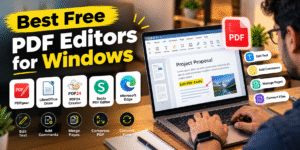
Best Free PDF Editors for Windows
Looking for the best free PDF editors for Windows? Several free tools allow you to edit PDF documents, add comments, highlight text, manage pages, and convert files without spending money. The right choice depends on whether you need basic annotations or advanced PDF editing features.
🖥️ 1. PDFgear
PDFgear is a useful free PDF editor for Windows that offers text editing, annotations, page management, and PDF conversion features. It is suitable for students, professionals, and everyday document editing.
📄 2. LibreOffice Draw
LibreOffice Draw is an open-source application that allows you to open and edit many PDF documents. You can modify certain text elements, images, and graphical objects, although complex layouts may not be preserved perfectly.
⚙️ 3. PDF24 Creator
PDF24 Creator is a free Windows tool designed for managing PDF files. It supports merging, splitting, compressing, and converting PDFs, making it useful for office work and everyday document management.
🌐 4. Sejda PDF Editor
Sejda PDF Editor is an online tool for editing PDF text, adding signatures, and inserting annotations. Its free version has usage restrictions, so check the current limits before using it for larger projects.
✏️ 5. Microsoft Edge
Microsoft Edge comes built into Windows and can open PDF documents without installing additional software. It supports features such as highlighting, drawing, and adding comments, but it does not provide full PDF text-editing capabilities.
⚖️ Which Free PDF Editor Should You Choose?
- Best for general PDF editing: PDFgear
- Best open-source option: LibreOffice Draw
- Best for PDF management: PDF24 Creator
- Best for online editing: Sejda PDF Editor
- Best for basic annotations: Microsoft Edge
🔐 Tips for Choosing a PDF Editor
Before installing a PDF editor, check its supported features, operating system compatibility, and free-plan limitations. For sensitive documents containing personal or financial information, prefer trusted offline software instead of uploading files to online services.
✅ Conclusion
The best free PDF editor for Windows depends on your specific needs. PDFgear is a good starting point for general editing, LibreOffice Draw offers an open-source alternative, and PDF24 Creator is particularly useful for managing PDF files. Always check the official website for the latest features and download the software from a trusted source.
⚖️ Which PDF Editor Is Best for You?Best Free PDF Editors for Windows
Agar aap apne Windows laptop ya PC mein PDF file को edit करना चाहते हैं, तो कई free PDF editors मिल जाते हैं। इनकी मदद से आप text बदल सकते हैं, comments जोड़ सकते हैं, pages को merge कर सकते हैं और PDF को आसानी से manage कर सकते हैं।
🖥️ 1. PDFgear
PDFgear एक अच्छा free PDF editor है, जिसकी मदद से आप PDF में text edit कर सकते हैं, comments जोड़ सकते हैं और files को convert कर सकते हैं। यह students और professionals दोनों के लिए उपयोगी हो सकता है।
📄 2. LibreOffice Draw
LibreOffice Draw एक free और open-source software है। इसकी मदद से आप PDF file खोलकर text, images और graphics में बदलाव कर सकते हैं। हालांकि, कुछ complex PDF files की formatting बदल सकती है।
⚙️ 3. PDF24 Creator
PDF24 Creator Windows users के लिए एक उपयोगी PDF tool है। इससे आप PDF files को merge, split, compress और convert कर सकते हैं। अगर आपको रोज़ाना documents manage करने होते हैं, तो यह एक अच्छा विकल्प हो सकता है।
🌐 4. Sejda PDF Editor
Sejda PDF Editor एक online PDF editing tool है। इसकी मदद से आप PDF में text edit कर सकते हैं, signatures जोड़ सकते हैं और comments लिख सकते हैं। इसके free version में कुछ usage limits होती हैं।
✏️ 5. Microsoft Edge
Microsoft Edge Windows में पहले से उपलब्ध browser है। इसकी मदद से आप PDF files खोल सकते हैं, text highlight कर सकते हैं और comments जोड़ सकते हैं। लेकिन इसमें PDF के original text को पूरी तरह edit करने के features सीमित हैं।
- PDF editing: PDFgear
- Free open-source software: LibreOffice Draw
- PDF merge और compress: PDF24 Creator
- Online PDF editing: Sejda PDF Editor
- PDF reading और highlighting: Microsoft Edge
🔐 PDF Editor इस्तेमाल करते समय इन बातों का ध्यान रखें
PDF editor download करने से पहले उसके features और free version की limitations ज़रूर check करें। अगर आपको Aadhaar card, bank statement या कोई confidential document edit करना है, तो trusted offline software इस्तेमाल करना बेहतर हो सकता है।
✅ Conclusion
Windows के लिए best free PDF editor आपकी जरूरत पर depend करता है। PDFgear सामान्य editing के लिए, LibreOffice Draw open-source editing के लिए और PDF24 Creator PDF management के लिए उपयोगी विकल्प हैं। Software हमेशा उसकी official website से download करें, ताकि आप सुरक्षित तरीके से PDF files edit कर सकें।