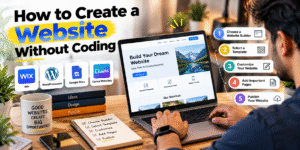
How to Create a Website Without Coding
Creating a website without coding is easier than ever. With modern website builders, you can design a professional website without writing HTML, CSS, or JavaScript. These platforms provide ready-made templates, drag-and-drop tools, and customization options that make website creation simple for beginners.
🌐 1. Choose a Website Builder
The first step is to select a website builder that matches your needs.
- Wix: Suitable for business websites, portfolios, and landing pages.
- WordPress.com: A useful option for blogs and content-based websites.
- Google Sites: Ideal for simple websites and basic online projects.
- Canva Websites: Useful for creating landing pages and simple portfolios.
🎨 2. Select a Website Template
After choosing a platform, select a template that matches your website’s purpose. You can find designs for business websites, personal portfolios, blogs, and online stores. A ready-made template saves time and provides a professional layout.
✏️ 3. Customize Your Website
Use the website builder’s editing tools to add your own content. You can change colors, fonts, images, headings, and layouts to match your brand. Add your logo, business information, and contact details to make the website more personalized.
📄 4. Create Essential Website Pages
A professional website should include these important pages:
- Home: Introduces your website, business, or services.
- About Us: Explains who you are and what you do.
- Services: Describes the services or solutions you offer.
- Contact Us: Helps visitors reach you through contact details or a form.
- Privacy Policy: Explains how your website handles personal information.
📱 5. Make Your Website Mobile-Friendly
Ensure your website works properly on mobile phones, tablets, and desktop computers. Use readable text, optimized images, clear navigation, and responsive layouts to provide a better user experience.
🚀 6. Publish Your Website
Before publishing, preview your website and test its links, forms, images, and navigation. Once everything works correctly, click the Publish button. Many platforms offer free subdomains, while custom domains and advanced features may require a paid plan.
🔍 Tips for Creating a Better Website
- Keep the design clean and professional.
- Use SEO-friendly headings and relevant keywords.
- Optimize images to improve loading speed.
- Add working contact details and social media links.
- Update your website regularly to keep its content useful.
✅ Conclusion
Creating a website without coding is a practical option for beginners, students, freelancers, and business owners. Platforms such as Wix, WordPress.com, Google Sites, and Canva Websites make it easier to build a blog, portfolio, or business website without programming knowledge. Choose the right platform, add valuable content, and test your website before publishing it online.
How to Create a Website Without Coding
Agar aap bina coding ke apni website बनाना चाहते हैं, तो आज कई ऐसे website builders उपलब्ध हैं जिनकी मदद से आप आसानी से professional website बना सकते हैं। इन tools में आपको coding की जरूरत नहीं होती, क्योंकि ready-made templates और drag-and-drop features की मदद से website तैयार की जा सकती है।
🌐 1. Choose a Website Builder
Website बनाने के लिए सबसे पहले एक अच्छा website builder चुनें। आपकी जरूरत के हिसाब से अलग-अलग platforms इस्तेमाल किए जा सकते हैं।
- Wix: Business website और portfolio बनाने के लिए उपयोगी है।
- WordPress.com: Blog और content-based website बनाने के लिए अच्छा विकल्प है।
- Google Sites: Simple website बनाने के लिए आसान और beginner-friendly platform है।
- Canva Websites: Landing page और basic portfolio बनाने के लिए उपयोगी है।
🎨 2. Select a Website Template
Platform चुनने के बाद अपनी website के लिए एक suitable template select करें। आप business, portfolio, blog या online store के हिसाब से design चुन सकते हैं। इससे website का layout तैयार करने में समय कम लगता है।
✏️ 3. Customize Your Website
अब template में अपना content जोड़ें और design को customize करें। अपनी website में logo, images, headings, contact details और जरूरी information जोड़ सकते हैं। Colors और fonts को अपने brand के हिसाब से customize करना भी आसान है।
📄 4. Create Important Pages
एक professional website में कुछ जरूरी pages होने चाहिए:
- Home: आपकी website और services की जानकारी।
- About Us: आपके business या काम का परिचय।
- Services: आप कौन-कौन सी services देते हैं।
- Contact Us: Visitors के लिए contact details या contact form।
- Privacy Policy: Website की privacy practices की जानकारी।
📱 5. Make Your Website Mobile-Friendly
Website publish करने से पहले check करें कि वह mobile, tablet और desktop पर सही दिखाई दे रही है या नहीं। Text readable रखें, images को optimize करें और navigation को आसान बनाएँ।
🚀 6. Publish Your Website
जब website तैयार हो जाए, तो preview करके सभी pages और links check करें। इसके बाद Publish पर click करें। शुरुआत में कई platforms का free subdomain इस्तेमाल किया जा सकता है। Custom domain और कुछ advanced features के लिए payment की जरूरत हो सकती है।
🔍 Tips to Make Your Website Better
- Website का design simple और professional रखें।
- SEO-friendly headings और relevant keywords इस्तेमाल करें।
- Images को compress करें, ताकि website जल्दी load हो।
- Contact details और social media links सही रखें।
- Website को समय-समय पर update करते रहें।
✅ Conclusion
Bina coding ke website बनाना beginners के लिए आसान हो सकता है। Wix, WordPress.com, Google Sites और Canva जैसे tools की मदद से आप अपना blog, portfolio या business website बना सकते हैं। सही platform चुनें, useful content जोड़ें और publish करने से पहले website को अच्छी तरह test करें।