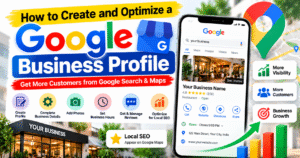
How to Create and Optimize a Google Business Profile
🔍 Introduction
A Google Business Profile is a free tool that helps businesses appear on Google Search and Google Maps. It allows customers to discover your business, view your working hours, find contact details, read reviews, and learn about your products or services. Whether you run a local shop, service-based business, or agency, creating and optimizing your profile can improve your online visibility and help potential customers find you more easily.
🏢 What Is a Google Business Profile?o
Google Business Profile is a platform that allows eligible businesses to manage how their information appears across Google Search and Maps. You can add your business name, address or service area, phone number, website, opening hours, photos, and services. A complete and accurate profile helps customers understand your business and contact you with confidence.
🚀 How to Create a Google Business Profile
1. Visit the Official Website
Open the official Google Business Profile website at https://www.google.com/business/ and sign in with your Google account. Select the option to manage or add your business and follow the on-screen instructions.
2. Enter Your Business Information
Add your real business name and choose the category that best describes your primary business activity. Select the appropriate business type, such as a physical shop, a service-area business, or a business that serves customers at their locations. Enter your address or service area according to Google’s eligibility requirements.
3. Add Contact Details
Provide an accurate business phone number and website URL, if available. Make sure customers can reach you using the details listed on your profile. Consistent contact information also helps people identify your business across different online platforms.
4. Verify Your Business
Google may offer different verification methods depending on your business and location. Follow the available instructions, which may include video verification, phone, email, or another method. Verification helps Google confirm that you are authorized to manage the profile. Your available verification options may vary.
⚙️ How to Optimize Your Google Business Profile
1. Choose the Right Business Category
Select the most accurate primary category for your business. Add relevant secondary categories only when they genuinely describe other services your business provides. Choosing appropriate categories helps Google understand what your business offers and which searches may be relevant.
2. Write a Clear Business Description
Create a natural, informative description explaining what your business does, which products or services it offers, and what customers can expect. Include relevant business terms naturally, but avoid keyword stuffing, promotional claims, or unnecessary repetition.
3. Upload High-Quality Photos
Add clear, genuine photos of your storefront, office, products, team, or completed work, depending on your business type. High-quality images help customers understand your business before visiting or contacting you. Keep your photos current and make sure they accurately represent your business.
4. Keep Business Hours Updated
Enter your regular opening hours and update them for holidays or special occasions. Incorrect hours can frustrate customers and lead to missed opportunities. Review your profile regularly to ensure that the information remains accurate.
5. Add Your Products and Services
Use the available profile features to showcase your main products and services. Include clear descriptions and accurate information where applicable. This helps potential customers understand what you offer before contacting your business.
6. Collect and Respond to Customer Reviews
Encourage genuine customers to leave honest reviews about their experiences. Respond politely to both positive and negative feedback. Professional responses show that you value customer opinions and are willing to address concerns. Never buy fake reviews or offer incentives in exchange for positive ratings.
7. Add Your Website and Booking Links
If your business has a website, add the correct URL to your profile. Where supported, include relevant appointment, reservation, or service links. Make sure these links work properly and direct visitors to the appropriate page.
📈 Benefits of an Optimized Google Business Profile
An optimized profile can make it easier for local customers to discover your business, check your contact information, explore your services, and read customer reviews. It can also help you build trust and generate relevant calls, website visits, direction requests, or enquiries. However, profile optimization does not guarantee a particular ranking or a specific number of customers.
📊 Track Your Business Performance
Use the performance insights available in your Google Business Profile to understand how customers find and interact with your business. Depending on the available reporting features, you may be able to review search terms, calls, website clicks, direction requests, and other interactions. Use these insights to identify opportunities to improve your profile and customer experience.
💡 Conclusion
Creating and optimizing a Google Business Profile is an important step toward building a stronger local online presence. Start by entering accurate business information, completing verification, choosing the right category, uploading genuine photos, and keeping your services and hours updated. Encourage honest customer reviews and monitor your performance regularly. With consistent maintenance and accurate information, your profile can help more potential customers discover and connect with your business.
🚀 Pro Tip: Review your profile regularly and keep every detail accurate. A helpful, complete, and trustworthy profile creates a better experience for both Google users and potential customers.
How to Create and Optimize a Google Business Profile
🔍 Introduction
आज के digital दौर में किसी भी business को online grow करने के लिए उसकी online presence होना बहुत ज़रूरी है। Google Business Profile एक free tool है, जिसकी मदद से आपका business Google Search और Google Maps पर दिखाई दे सकता है। इससे customers आपके business का नाम, address, phone number, opening hours, photos और services आसानी से देख सकते हैं। अगर आप अपनी दुकान, agency या किसी service-based business को online promote करना चाहते हैं, तो Google Business Profile आपके लिए एक useful tool है।
🏢 What Is Google Business Profile?
Google Business Profile एक ऐसा platform है, जहाँ आप अपने business की information को Google पर manage कर सकते हैं। इसमें आप business name, location, contact details, website, working hours, photos और services add कर सकते हैं। जब कोई customer आपके business से जुड़ी services search करता है, तो आपकी profile उसे आपके business के बारे में सही जानकारी प्राप्त करने में मदद कर सकती है।
🚀 How to Create a Google Business Profile
1. Visit the Official Website
सबसे पहले Google Business Profile की official website https://www.google.com/business/ पर जाएँ। अपने Google account से sign in करें और अपने business को add या manage करने के लिए दिए गए instructions follow करें।
2. Enter Your Business Details
अपने business का सही नाम enter करें और ऐसी business category select करें, जो आपकी मुख्य service को सबसे अच्छी तरह describe करती हो। इसके बाद अपने business type के अनुसार address या service area की जानकारी दें। ध्यान रखें कि आपकी दी गई information वास्तविक हो और Google की guidelines के अनुसार हो।
3. Add Contact Information
अपना सही phone number और website URL add करें, अगर आपकी website उपलब्ध है। इससे customers आपसे आसानी से contact कर सकते हैं। सभी online platforms पर business की contact information accurate और consistent रखना बेहतर होता है।
4. Verify Your Business
Business details add करने के बाद Google आपसे verification करने के लिए कह सकता है। उपलब्ध विकल्पों के अनुसार आपको video, phone, email या किसी अन्य method से verification करना पड़ सकता है। Verification की मदद से Google यह confirm करता है कि आप उस business profile को manage करने के लिए authorized हैं।
⚙️ How to Optimize Your Google Business Profile
1. Choose the Right Business Category
आपके business की सही category select करना बहुत important है। ऐसी primary category चुनें, जो आपके मुख्य business को accurately describe करती हो। जरूरत पड़ने पर relevant secondary categories भी add कर सकते हैं। सही category Google को आपके business की services समझने में मदद करती है।
2. Write an Attractive Business Description
अपने business के बारे में एक clear और informative description लिखें। इसमें बताएं कि आपका business क्या करता है, कौन-सी services provide करता है और customers को इससे क्या मदद मिल सकती है। Relevant keywords को naturally use करें, लेकिन बार-बार keywords लिखने से बचें। Description हमेशा genuine और आसानी से समझ आने वाला होना चाहिए।
3. Upload High-Quality Photos
अपनी profile पर clear और original photos upload करें। आप अपने office, shop, products, team या completed projects की photos add कर सकते हैं। अच्छी photos customers को आपके business के बारे में बेहतर जानकारी देती हैं और उन्हें आपके products या services समझने में मदद करती हैं।
4. Keep Your Business Hours Updated
अपनी दुकान या office की सही opening और closing timings add करें। Holidays या special occasions पर अगर timings बदलती हैं, तो profile को भी update करें। इससे customers को सही जानकारी मिलती है और गलत timings के कारण होने वाली परेशानी कम होती है।
5. Add Your Products and Services
Google Business Profile में उपलब्ध features का उपयोग करके अपने products और services की जानकारी add करें। हर service का नाम और description स्पष्ट रखें। इससे potential customers को आपके business की offerings समझने और अपनी जरूरत के अनुसार service चुनने में मदद मिलती है।
6. Manage Customer Reviews
Customers से अपने वास्तविक experience के आधार पर honest reviews देने का अनुरोध करें। Positive और negative दोनों तरह के reviews का professional तरीके से जवाब दें। इससे customers को पता चलता है कि आप उनकी feedback को importance देते हैं। Fake reviews खरीदने या positive reviews के बदले incentives देने से बचें।
7. Add Your Website Link
अगर आपके business की website है, तो उसका सही URL अपनी profile में add करें। इससे interested customers आपकी website पर जाकर products, services और अन्य जानकारी देख सकते हैं। जहाँ सुविधा उपलब्ध हो, वहाँ appointment या enquiry link भी add कर सकते हैं।
📈 Benefits of Google Business Profile
एक अच्छी तरह optimized Google Business Profile आपके business को local customers तक पहुँचाने में मदद कर सकती है। Customers आपके business की location, contact details, services और reviews आसानी से देख सकते हैं। इससे relevant phone calls, website visits, direction requests और customer enquiries मिलने के अवसर बढ़ सकते हैं। हालांकि, profile बनाने से Google पर top ranking मिलने की guarantee नहीं होती।
📊 Track Your Business Performance
अपनी Google Business Profile के performance insights को नियमित रूप से check करें। उपलब्ध reports के माध्यम से आप समझ सकते हैं कि customers आपके business को कैसे खोजते हैं और आपकी profile के साथ किस तरह interact करते हैं। इन insights का उपयोग करके अपनी business information, services और customer experience में सुधार करें।
💡 Conclusion
Google Business Profile बनाना और उसे सही तरीके से optimize करना आपके business की online growth के लिए एक महत्वपूर्ण कदम है। अपनी profile में accurate information add करें, सही category चुनें, genuine photos upload करें और customer reviews का जवाब दें। साथ ही, business hours और services को समय-समय पर update करते रहें। लगातार सही जानकारी maintain करने से आपका business online अधिक professional दिखाई दे सकता है और potential customers के लिए आपसे जुड़ना आसान हो सकता है।
🚀 Pro Tip: अपनी Google Business Profile को नियमित रूप से update करें और हमेशा genuine information provide करें। एक complete और trustworthy profile आपके business की local online presence को बेहतर बनाने में मदद कर सकती है।