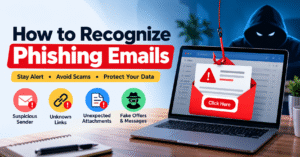
How to Recognize Phishing Emails: A Complete Guide to Staying Safe Online
🛡️ Introduction
Email is one of the most common ways we communicate, whether for work, online shopping, banking, or personal use. However, not every email we receive is trustworthy. Phishing emails are fraudulent messages designed to trick people into sharing sensitive information, clicking malicious links, or downloading harmful files. These emails often look genuine, making them difficult to recognize at first glance. Understanding the warning signs of phishing can help you protect your personal information, financial accounts, and digital identity.
🔍 What Is a Phishing Email?
A phishing email is a fake message created by cybercriminals to make recipients believe they are communicating with a legitimate organization or person. Scammers may pretend to represent a bank, an online shopping platform, a delivery service, or even your workplace. Their goal is to gain access to passwords, OTPs, banking information, or other confidential data. Some phishing emails also contain malicious attachments that can install harmful software on your device.
⚠️ Common Signs of a Phishing Email
One of the easiest ways to identify a suspicious email is to look for unusual details. The sender’s email address may contain misspelled words or an unfamiliar domain. The message might create a sense of urgency by claiming that your account will be suspended or that immediate action is required. Unexpected attachments, unfamiliar links, unusual payment requests, and messages offering unbelievable rewards are also common warning signs. Although one sign alone does not always confirm a scam, several suspicious details should make you cautious.
📧 Check the Sender’s Email Address
Before trusting an email, carefully examine the sender’s complete email address rather than relying only on the display name or company logo. Scammers often create addresses that look similar to legitimate ones by changing a few letters, adding extra words, or using a different domain. For example, an email claiming to come from a bank may use an unrelated website address. If something looks unusual, verify the message through the organization’s official website or customer support channel.
🔗 Be Careful with Suspicious Links
Phishing emails frequently include links that lead to fake login pages designed to collect personal information. These pages may look almost identical to the real websites of banks, social media platforms, or online services. Before opening a link, check its destination carefully. On a computer, you can hover over the link to preview the URL without clicking it. Avoid links that contain unfamiliar domains, misleading spellings, or unexpected redirects. When in doubt, open the official website directly through your browser instead of using the email link.
🚨 Watch Out for Urgent or Threatening Messages
Scammers often use fear and urgency to make people act without thinking. You might receive a message claiming that your account has been compromised, a payment has failed, or your account will be blocked within minutes. Other emails may warn you about an urgent security issue and ask you to confirm your details immediately. These messages are designed to reduce the time you spend checking whether the request is genuine. Stay calm, avoid rushing, and confirm the information through an official channel before taking action.
🔑 Never Share Passwords or OTPs
Your passwords, one-time passwords (OTPs), PINs, and banking details should always be protected. A phishing email may ask you to provide these details to verify your identity, unlock an account, or complete a refund. Never disclose sensitive information through an unverified email or website. If you receive an unexpected security request, use the official app or website to check your account. Protecting these details is an important step toward preventing unauthorized access and financial fraud.
📎 Avoid Unexpected Attachments
Some phishing emails contain attachments disguised as invoices, job offers, delivery receipts, payment confirmations, or important documents. Opening these files may expose your device to malware or direct you to a fraudulent website. Be especially careful with unexpected executable files, ZIP archives, and documents that ask you to enable macros or install additional software. If an attachment seems unusual, contact the sender using a known and trusted method before opening it.
✍️ Look for Unusual Language and Formatting
Spelling mistakes, awkward sentences, inconsistent branding, and strange formatting can sometimes indicate a phishing attempt. You may also notice a generic greeting instead of your name or a message that does not match your usual communication with the organization. However, modern phishing emails can be professionally written and may use accurate logos and branding. Therefore, do not rely on grammar or appearance alone. Always check the sender, links, message context, and requested actions.
🛒 Be Cautious of Fake Offers and Rewards
Emails announcing unexpected prizes, free gifts, exclusive discounts, refunds, or lottery winnings can be used to attract your attention. Some messages ask you to pay a small fee to claim a reward, while others request personal or banking information. Before responding, ask yourself whether you entered the contest or expected the offer. Verify promotions directly through the company’s official website. If an offer seems too good to be true, take extra care before trusting it.
🛡️ How to Protect Yourself from Phishing Emails
Developing a few simple email habits can significantly improve your online safety. Use strong, unique passwords for different accounts and enable multi-factor authentication wherever possible. Keep your operating system, browser, and security software updated. Avoid downloading files from unknown senders, and report suspicious emails using your email provider’s phishing-reporting feature. For work-related emails involving payments, passwords, or confidential documents, confirm unusual requests through a separate trusted communication channel.
🆘 What to Do If You Click a Phishing Link
If you accidentally click a suspicious link, do not panic. Close the page and avoid entering any information. If you have entered your password, change it immediately using the official website and update it on any other account where you reused it. Enable multi-factor authentication and review your recent account activity for unfamiliar logins. If you downloaded a suspicious file, run a security scan and seek trusted technical assistance if needed. If you shared banking information or lost money in India, contact your bank immediately and report suspected cyber fraud by calling 1930 or visiting the National Cyber Crime Reporting Portal at https://www.cybercrime.gov.in/.
💡 Conclusion
Recognizing phishing emails is an essential part of staying safe in today’s digital world. Fraudulent messages can appear convincing, but carefully checking the sender, examining links, questioning urgent requests, and protecting sensitive information can help reduce the risk of becoming a victim. Make it a habit to verify unexpected messages before taking action, even when they appear to come from a familiar organization. A few moments of caution can make a real difference in protecting your privacy, finances, and online accounts.
🔐 Remember: Stop, check, and verify before you click. Your online safety starts with awareness.
How to Recognize Phishing Emails – Phishing Email को कैसे पहचानें?
🛡️ Introduction – Phishing Emails क्या होते हैं?
आज के digital world में Email का इस्तेमाल office work, online shopping, banking और personal communication के लिए किया जाता है। लेकिन हर email सुरक्षित नहीं होता। Phishing emails ऐसे fake messages होते हैं, जिनका इस्तेमाल scammers आपकी personal information, password, OTP और banking details चुराने के लिए करते हैं। ये emails देखने में किसी trusted company, bank या popular website जैसे लग सकते हैं। इसलिए किसी भी email पर भरोसा करने से पहले उसकी सच्चाई जाँचना बहुत ज़रूरी है।
🔍 Phishing Email क्या है?
Phishing एक तरह का cyber scam है, जिसमें fraudsters किसी भरोसेमंद व्यक्ति या organization की पहचान का इस्तेमाल करके लोगों को धोखा देते हैं। वे आपको email भेजकर किसी link पर click करने, account verify करने या confidential information share करने के लिए कह सकते हैं। कई बार इन emails में fake login pages या harmful attachments भी होते हैं। इनका मुख्य उद्देश्य आपकी जानकारी चुराना या आपके account तक unauthorized access प्राप्त करना होता है।
⚠️ Phishing Email को पहचानने के मुख्य संकेत
किसी suspicious email को पहचानने के लिए कुछ बातों पर ध्यान देना चाहिए। अगर email में तुरंत action लेने का दबाव हो, sender का address अजीब लगे, unknown links हों या password और OTP माँगा जा रहा हो, तो सावधान हो जाएँ। कई scammers spelling mistakes, fake offers और डराने वाले messages का इस्तेमाल करते हैं। हालाँकि, हर phishing email में ऐसी गलतियाँ हों, यह ज़रूरी नहीं है। इसलिए sender, link और message की authenticity को ध्यान से verify करें।
📧 Sender का Email Address ध्यान से Check करें
किसी भी email पर भरोसा करने से पहले sender का पूरा email address check करें। कई बार scammers किसी bank या company के नाम से मिलता-जुलता email address बनाते हैं, जिससे असली और नकली email में अंतर करना मुश्किल हो जाता है। सिर्फ logo, display name या professional design देखकर email को genuine न मानें। अगर sender का address suspicious लगे, तो company की official website या customer support के माध्यम से उसकी पुष्टि करें।
🔗 Unknown Links पर Click करने से बचें
Phishing emails में अक्सर ऐसे links दिए जाते हैं, जो आपको fake website पर ले जा सकते हैं। ये websites असली banking, shopping या social media websites जैसी दिखाई देती हैं और आपकी login details चुरा सकती हैं। किसी link को open करने से पहले उसका URL ध्यान से देखें। Computer पर link पर mouse hover करके उसका destination check कर सकते हैं। अगर link unfamiliar या suspicious लगे, तो उस पर click न करें। इसके बजाय website का official address खुद browser में type करें।
🚨 Urgent और डराने वाले Messages से सावधान रहें
Scammers अक्सर लोगों को डराकर जल्दी फैसला लेने के लिए मजबूर करते हैं। उदाहरण के लिए, आपको ऐसा email मिल सकता है जिसमें लिखा हो कि आपका bank account कुछ ही मिनटों में block हो जाएगा या आपकी personal information खतरे में है। ऐसे messages का उद्देश्य आपको बिना सोचे-समझे link पर click करवाना हो सकता है। इसलिए घबराने के बजाय शांति से message को check करें और official app या customer support से जानकारी verify करें।
🔐 Password और OTP कभी Share न करें
आपका password, OTP, ATM PIN और banking information बहुत sensitive होती है। किसी भी unknown email या suspicious website पर ये details share न करें। Scammers account verification, refund processing या security checking के नाम पर आपसे confidential information माँग सकते हैं। हमेशा याद रखें कि अपनी login details और OTP को सुरक्षित रखना आपकी online security का महत्वपूर्ण हिस्सा है। अगर कोई request suspicious लगे, तो official channel से उसकी पुष्टि करें।
📎 Unknown Attachments Download न करें
कई phishing emails में invoice, job offer, payment receipt या delivery document के नाम पर harmful files भेजी जाती हैं। इन attachments को open करने से आपके computer या mobile में malware आने का खतरा हो सकता है। अगर किसी unknown sender से unexpected file मिले, तो उसे तुरंत download या open न करें। पहले sender की पहचान verify करें। किसी document को open करने के लिए अगर अनजान software install करने या security settings बंद करने को कहा जाए, तो विशेष सावधानी बरतें।
✍️ Spelling Mistakes और Unusual Language पर ध्यान दें
कुछ fake emails में गलत spelling, अजीब sentences, generic greetings या खराब formatting देखने को मिल सकती है। उदाहरण के लिए, किसी company का email अगर सामान्य communication style से बिल्कुल अलग हो, तो उसे ध्यान से check करना चाहिए। लेकिन केवल spelling mistakes न होने का मतलब यह नहीं है कि email असली है। आजकल scammers professional language और original logos का भी इस्तेमाल करते हैं। इसलिए email की पूरी जानकारी verify करना ज़रूरी है।
🎁 Fake Offers और Free Rewards से बचें
अगर आपको अचानक कोई email मिलता है जिसमें lottery जीतने, free gift मिलने, cash reward या बड़े discount का दावा किया गया हो, तो सावधान रहें। कई scammers लोगों को लालच देकर personal information या payment details हासिल करने की कोशिश करते हैं। कुछ emails में reward claim करने के लिए छोटी-सी fee जमा करने को भी कहा जाता है। किसी भी offer पर भरोसा करने से पहले संबंधित company की official website पर जाकर उसकी पुष्टि करें।
🛡️ Phishing Emails से खुद को सुरक्षित कैसे रखें?
Online safety के लिए कुछ आसान आदतें अपनाना बहुत ज़रूरी है। हमेशा strong और unique passwords इस्तेमाल करें और जहाँ संभव हो, Multi-Factor Authentication (MFA) enable करें। अपने mobile, computer, browser और security software को updated रखें। Suspicious emails को अपने email provider के माध्यम से phishing के रूप में report करें। अगर कोई email payment, password change या confidential information से जुड़ा unusual request करता है, तो उस व्यक्ति या company से किसी दूसरे trusted माध्यम से पुष्टि करें।
🆘 अगर गलती से Phishing Link पर Click हो जाए तो क्या करें?
अगर आपने गलती से किसी suspicious link पर click कर दिया है, तो घबराएँ नहीं। उस website पर अपनी personal information enter न करें। अगर आपने password डाल दिया है, तो official website से तुरंत password बदलें और जहाँ वही password इस्तेमाल किया है, वहाँ भी उसे update करें। अपने account की recent activity check करें और Multi-Factor Authentication enable करें। अगर कोई suspicious file download हुई है, तो trusted security software से device scan करें। यदि banking details share हो गई हैं या financial fraud हुआ है, तो तुरंत अपने bank से संपर्क करें। भारत में cyber financial fraud की शिकायत के लिए 1930 पर call करें या https://www.cybercrime.gov.in/ पर report करें।
💡 Conclusion – Online Safety आपकी जिम्मेदारी है
Phishing emails को पहचानना आज के digital समय में बहुत ज़रूरी skill है। एक छोटा-सा गलत click आपकी personal information, online accounts या financial security को खतरे में डाल सकता है। इसलिए किसी भी email पर भरोसा करने से पहले sender का address check करें, links verify करें और अपनी confidential information सुरक्षित रखें। थोड़ी-सी सावधानी और सही जानकारी आपको कई online scams से बचा सकती है।
🔐 याद रखें: किसी भी unknown link पर click करने से पहले रुकें, जाँचें और verify करें। आपकी digital safety आपकी सतर्कता से शुरू होती है।